
The Amazon Connect mobile app for iPhone.
Free on the App Store, from US$10 per agent per month: a real Amazon Connect softphone on iPhone. Connect Phone is a full Amazon Connect agent app that puts your Connect phone system in your agents’ pocket. Take and make customer calls anywhere, with the same tools your agents use at their desk: live stats, smart transfer, caller history, wrap-up and Amazon Q assist. Whether you call it an Amazon softphone, the AWS Connect app, the Amazon Connect softphone or the Amazon Connect mobile app, Connect Phone is the same thing — the real agent softphone for iPhone.
 Available on AWS MarketplaceConnect Phone by LiveUCX · consolidated AWS billing
Free on the App Store · From US$10 / agent / month · Routed Connect contact · desk-phone audio · Live agent stats & transfer · SSO
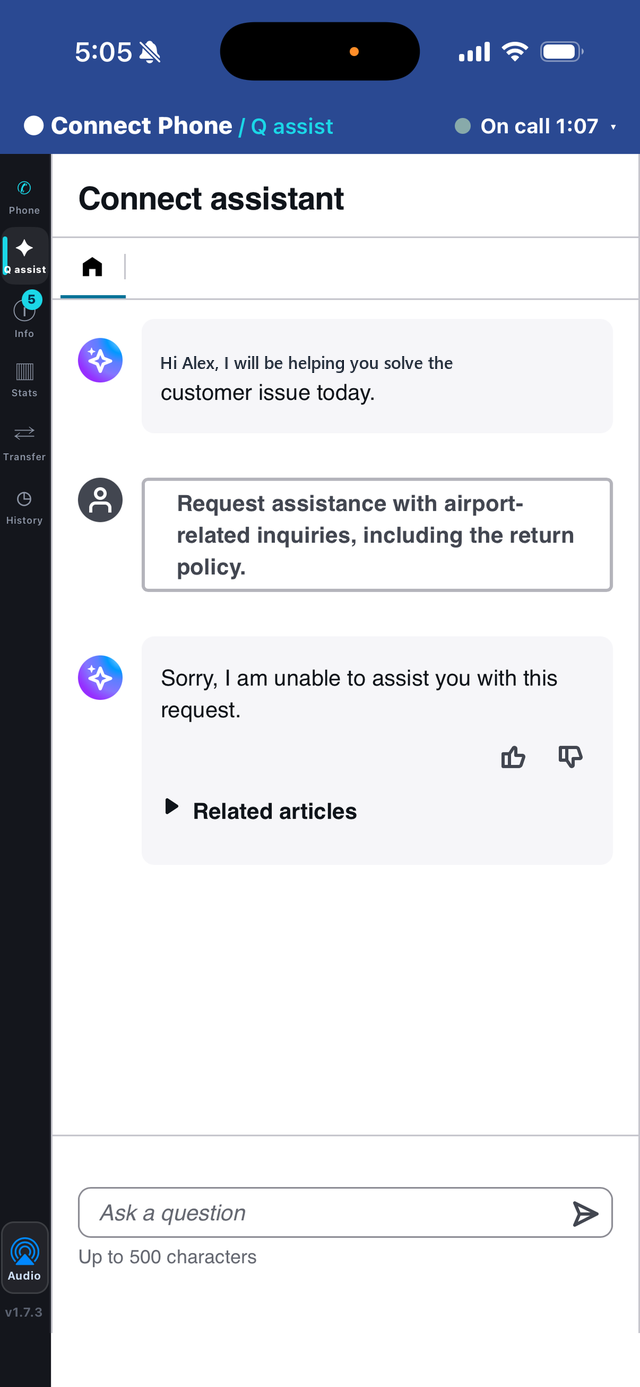
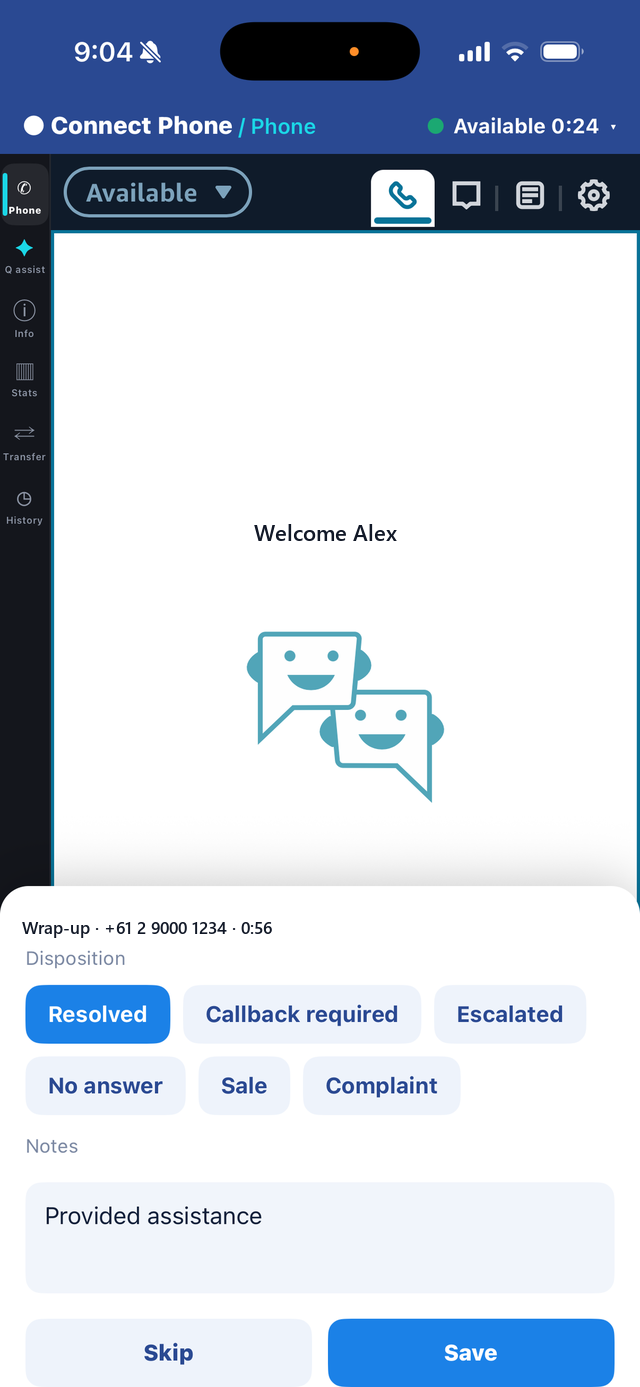

The Amazon Connect app for iPhone — a companion app for organisations already running Amazon Connect, where agents sign in with their existing Connect login.

The agent drives the call from the app while the audio arrives on their own number through Amazon Connect’s desk-phone mode — so routing, recording, metrics and wrap-up all stay intact. Weighing it against the alternative? Connect Phone vs Mobile Connect.

Routed contacts ring in the app with Amazon Connect's own softphone ringtone and answer in a tap — no laptop awake, no tab to keep open.

SAML single sign-on or native Connect login. No Connect credentials stored on the device.
Your agents aren't always at a desk. Your contact centre shouldn't care.
The Amazon Connect Contact Control Panel is a browser app — it doesn't travel. Connect Phone gives field teams, remote agents, after-hours on-call and retail staff real Amazon Connect telephony — the full agent experience — on the phone in their pocket. AWS Connect and Amazon Connect are the same platform, so if you came here looking for an AWS Connect mobile app, this is it. Still working out whether Amazon Connect has a mobile app at all? Start with our guide to the Amazon Connect mobile app, then read what breaks for Amazon Connect mobile agents.
Everything your agents use at the desk, in one Amazon Connect mobile app
Answer, dial, hold, mute and transfer from the app — call control runs over a secure connection to your Amazon Connect instance, with the audio on the agent’s own number. Keypad for IVR, quick connects and reject.
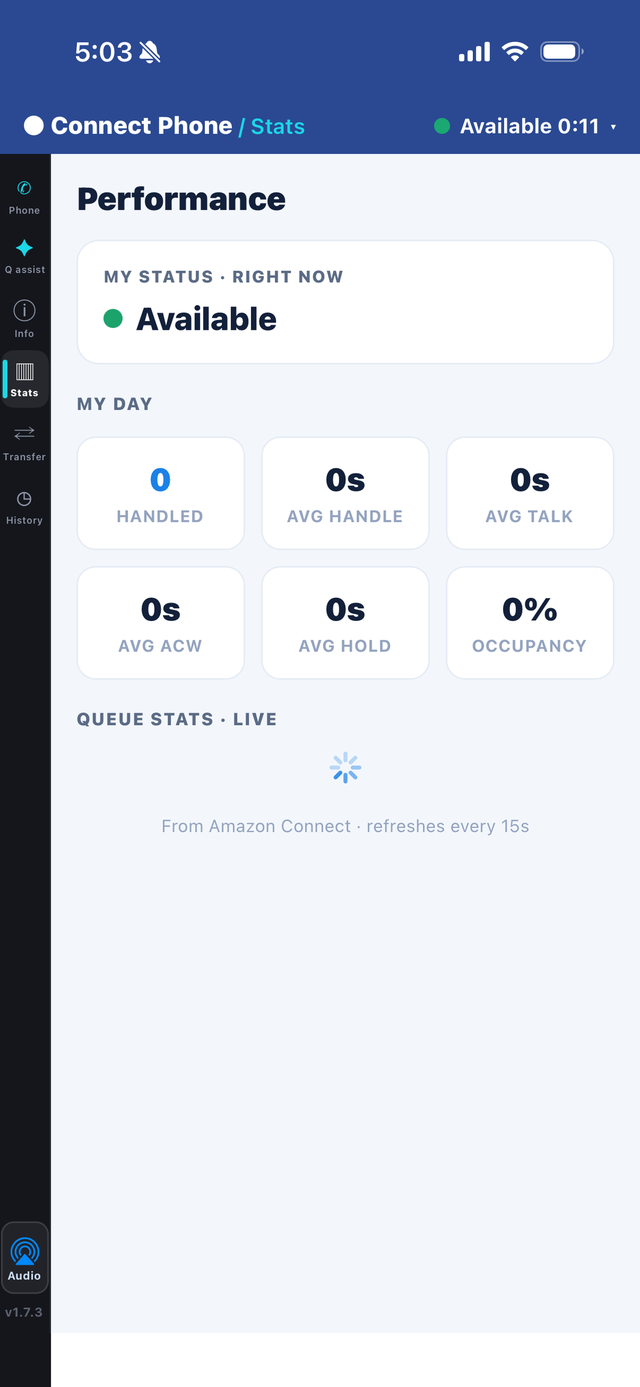
Live handled count, average handle time, talk, ACW, hold and occupancy — straight from Amazon Connect.
Queues and agents with live availability. Warm, cold and conference transfer, swap and drop parties — in a tap.

The caller's recent contact history so agents have context before they speak.

Capture a disposition and notes, written back to the Amazon Connect contact.

Pause recording for sensitive moments — card details, personal data — and resume when done.

Your Amazon Q in Connect knowledge and suggestions, right beside the call (optional).

Not just voice — accept chats and tasks, with concurrent contacts and channel-aware screens.

Screen-pop the Connect contact attributes your flows set, so agents open the call informed.
Available, offline and your custom Connect states — set status from the phone.
SAML/SSO or native Amazon Connect login, configured per workspace.
Raise an Amazon Connect task mid-call for follow-up work.
Run the floor from your pocket
Agents see how they're tracking without asking a supervisor, and move a call on without leaving the app — the two things that keep a mobile agent as effective as one at a desk.
Live stats, straight from Amazon Connect
Agents see how they are tracking without asking a supervisor.
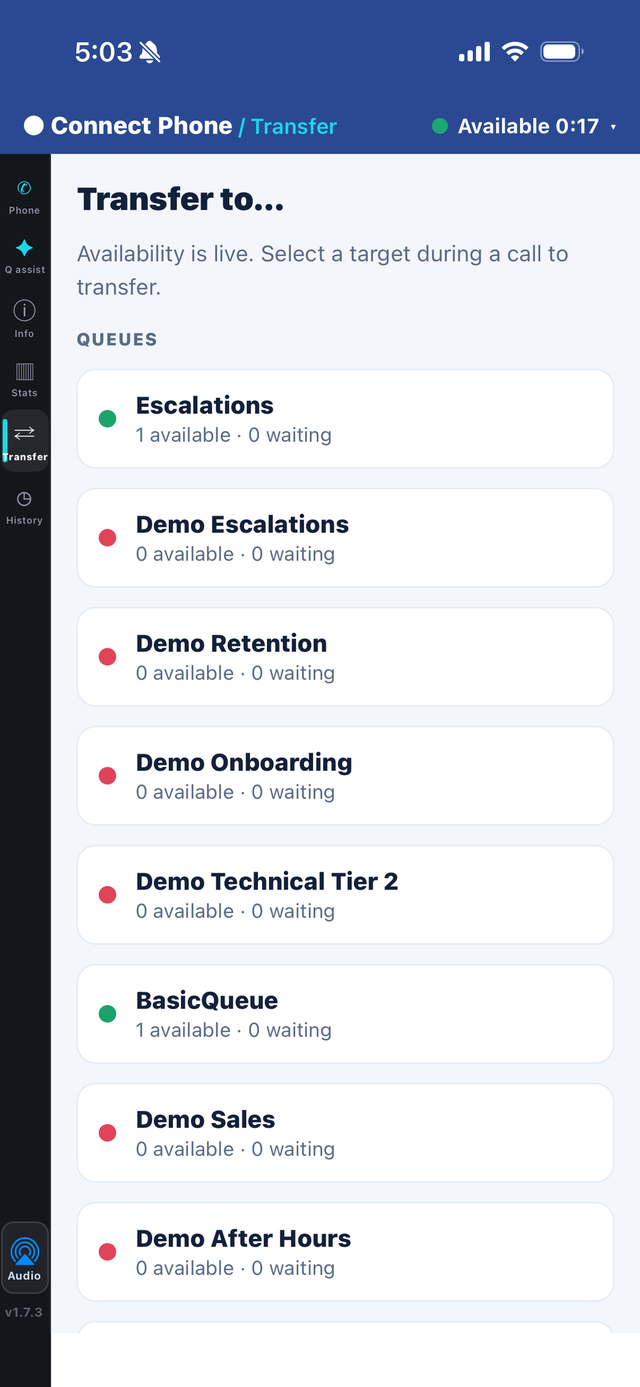
Smart transfer, without leaving the app
Move a call on in a tap, to a queue or to a named agent who is actually free.
The app, screen by screen
Real screens from Connect Phone. Tap any image to enlarge.
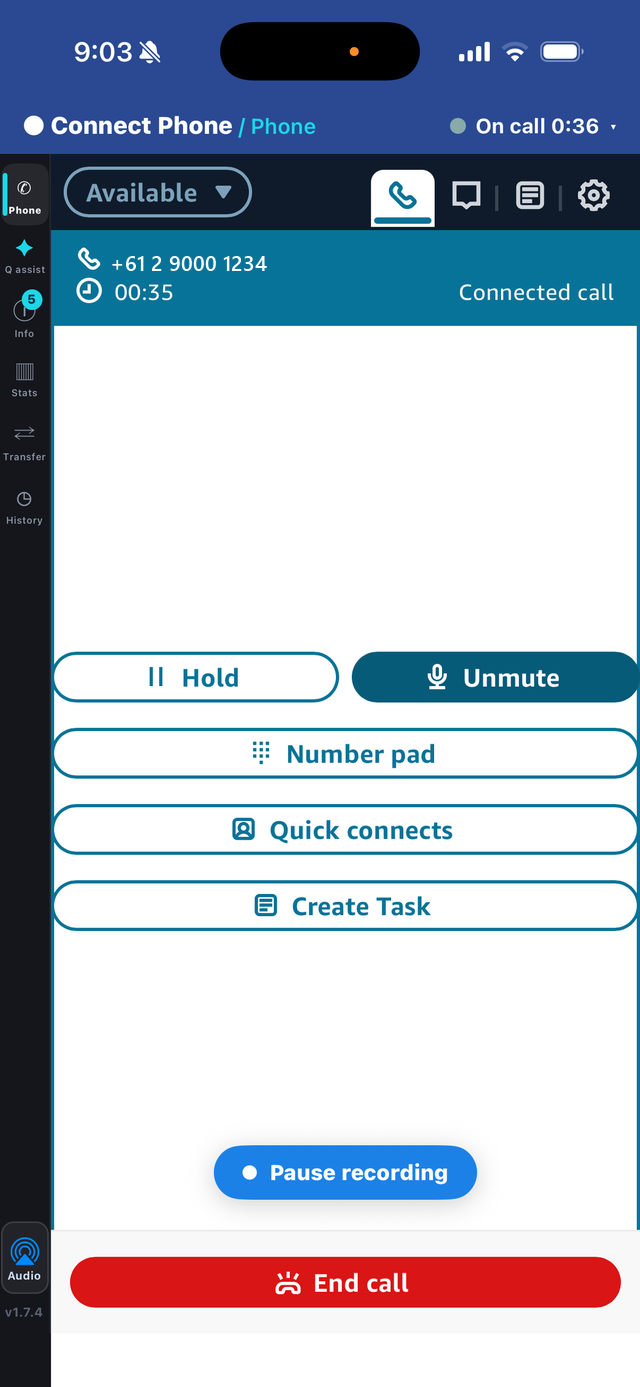
Answer, hold, mute, keypad, quick connects and transfer — on a live Amazon Connect call.
Live handled count, average handle time, talk, ACW, hold and occupancy.
Queues and agents with live availability — transfer in a tap.
Your Amazon Q in Connect knowledge and suggestions, right beside the call.
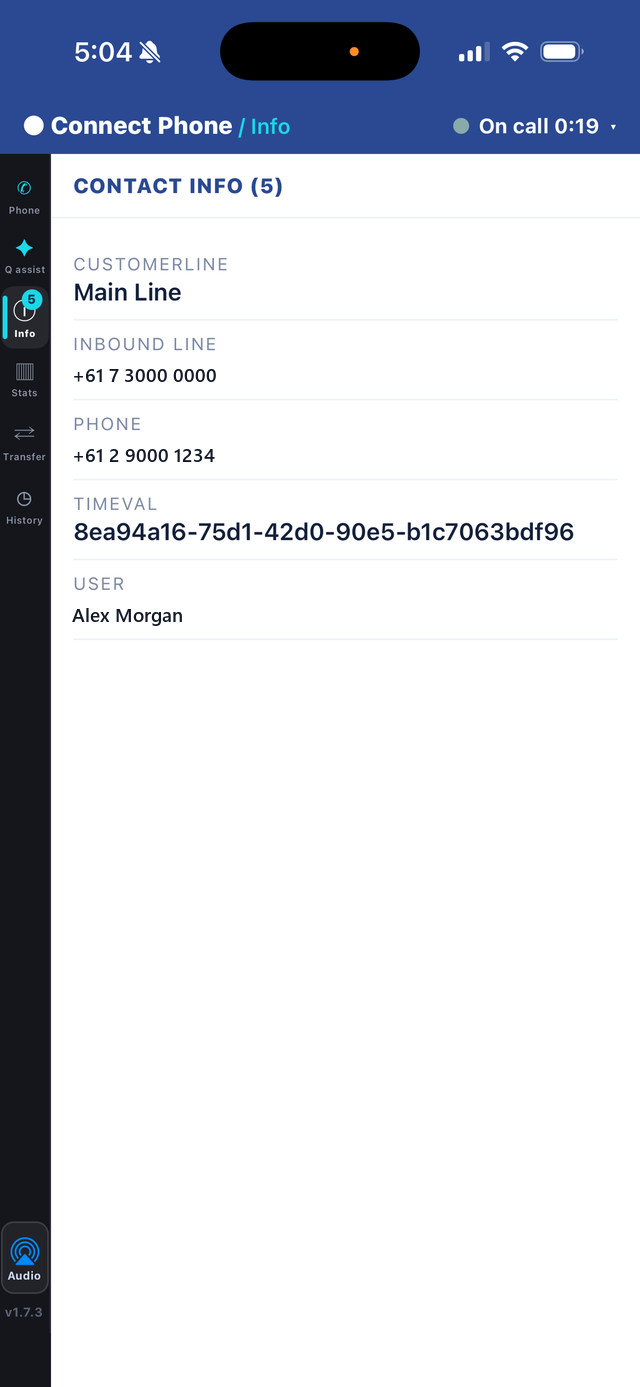
The Connect contact attributes agents need before they speak.
Capture a disposition and notes, written back to the Amazon Connect contact.
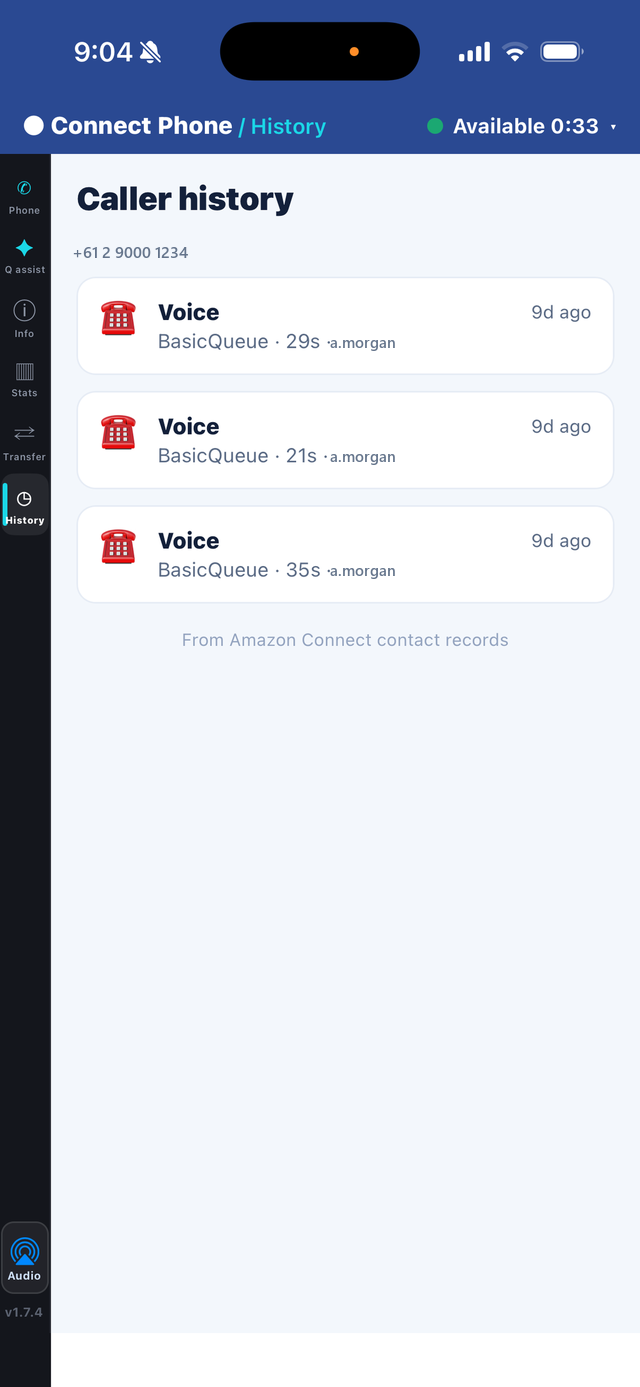
The caller's recent interactions, straight from Amazon Connect contact records.
Free to download. Licensed per agent.
Download Connect Phone on the App Store now — agents are licensed per agent per month through the ProUCX portal, not through Apple.
Built for teams of 5+. Full softphone — voice, chat & tasks. Transfer, conference & quick connects. Caller history & contact attributes. SSO.
Most popular. Everything in Basic, plus live queue stats & agent performance, disposition write-back to the contact, recording pause / resume and Amazon Q assist.
Everything in Medium, plus CCP customisation, your own branding, deploy-in-your-account and priority support.
Connect Phone questions
Yes — AWS Connect and Amazon Connect are the same platform, and Connect Phone is an AWS Connect mobile app for iPhone. AWS itself doesn't publish a first-party agent app, so the CCP stays a browser application; Connect Phone is a third-party AWS Connect softphone from ProUCX that connects to your own Amazon Connect instance, and it's free to download on the App Store. One thing to be clear on before you buy: routed contacts ring in Connect Phone, using Amazon Connect's own softphone ringtone, while the app is open — it does not ring on the lock screen with the app closed. iPhone today; there's no Android release.
Both, and the distinction matters. The audio reaches the agent on their own number through Amazon Connect’s desk-phone mode. What makes that different from forwarding a queued call to a mobile is that the contact stays a routed Amazon Connect contact end to end — accepted, held, transferred and wrapped up from the app, with routing, recording and metrics unaffected.
Not today, and we'd rather say so plainly. Connect Phone rings while the app is open, using Amazon Connect's own softphone ringtone. Ringing on the lock screen with the app closed requires Apple CallKit driven by a VoIP push; on a WebRTC softphone that can disrupt the call audio, and we won't ship it until it's solid. It is on the roadmap. In the meantime, agents keep the app open while rostered on a queue — the same as keeping the CCP tab open at a desk.
The app is free to download on the App Store. Licensing is per agent per month via the ProUCX portal, not through Apple: Basic US$10 / agent / month, Medium US$15 / agent / month, Advanced contact us. Built for teams of 5+.
Your admin configures the workspace in the portal and shares a one-time workspace code. Agents install, enter the code once, then sign in with their Connect login or SAML SSO.
Yes, optionally — Q knowledge and suggestions appear beside the live call.
iPhone, via the App Store. Connect Phone is a companion app for organisations already running Amazon Connect.
Because a forwarded call leaves Amazon Connect — you lose skills-based routing, in-instance recording, real-time metrics and the contact record. Connect Phone runs the real CCP on the phone, so the call stays a routed contact. We go deeper in Amazon Connect on a phone: mobile agents without losing the contact.
See ProUCX support or email service@proucx.com.au.
Put your Amazon Connect agents on the phone in their pocket
Set up a workspace in minutes, or book a walkthrough with the team that built it. Prefer consolidated AWS billing? Subscribe on AWS Marketplace instead.