
Does Amazon Connect have a mobile app?
No — AWS does not publish an agent app for iPhone or Android, so the options are third-party. Here's both, plus what to look for so you don't end up with a workaround wearing an app icon.
The short answer
AWS does not publish an Amazon Connect agent app for iPhone or Android. The agent experience is the Contact Control Panel — the CCP — and it is a browser application. Sign in, keep the tab open, take contacts. Agents on the move are, as far as the platform is concerned, agents at a desk who happen to have moved.
That is a deliberate design choice, not an oversight, and it is fine right up until the moment a meaningful share of your people aren't at a desk: the team lead walking the floor, the duty manager on an after-hours roster, the field technician between sites, the two-person business where everyone does everything.
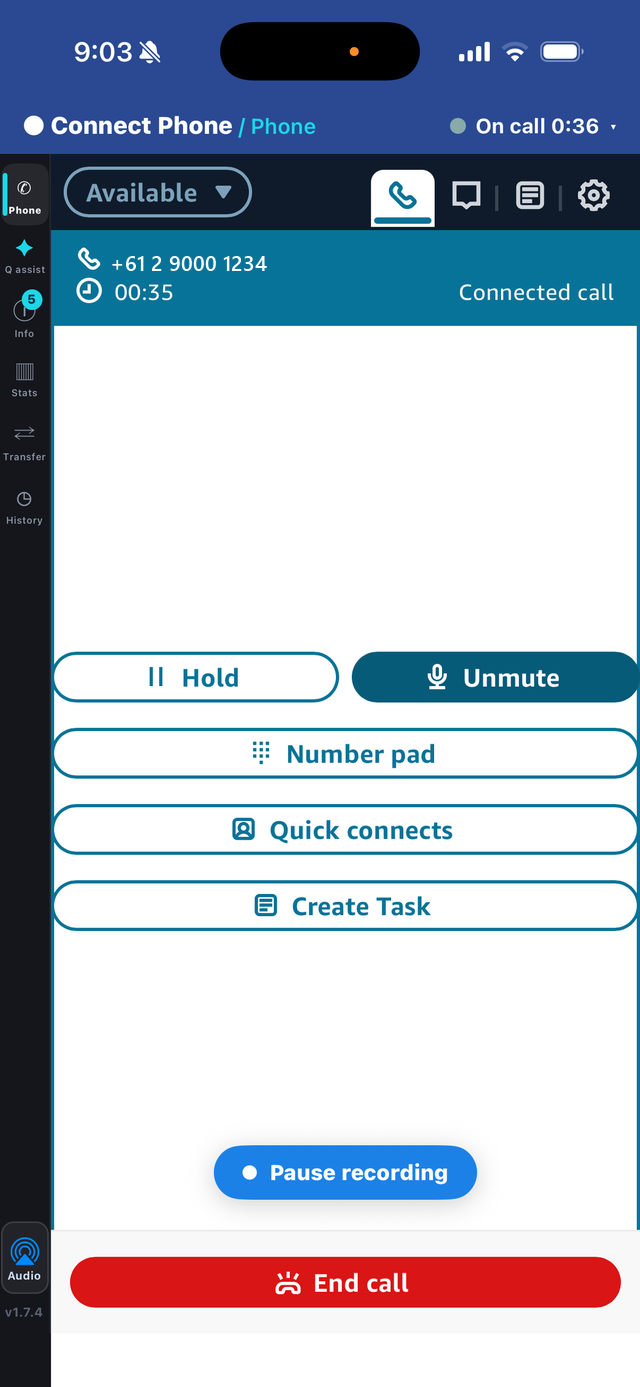
The longer answer is that a real Amazon Connect softphone does exist on the App Store — it just isn't published by AWS. Connect Phone by LiveUCX is an Amazon Connect mobile app for iPhone — a full agent softphone that connects to your own Amazon Connect instance, and it's free to download.
"AWS Connect mobile app" and "Amazon Connect mobile app" are the same search
Worth clearing up early, because it changes what you'll find. The product's actual name is Amazon Connect; AWS Connect is the shorthand a lot of people use, and AWS's own documentation only ever uses the long form. Both point at the same cloud contact centre, so an AWS Connect mobile app and an Amazon Connect mobile app are the same thing.
The practical consequence is that searching one phrase and not the other will hide half the market from you. It also means you should be a little sceptical of vendors who lean on the "AWS" phrasing in ads — it's a cheap way to look like a first-party AWS product when nobody is. There is no AWS-published agent app under either name.
Why forwarding calls to a mobile isn't the same thing
Before buying anything, most contact centres try the free option: route the queue, or overflow from it, to an agent's mobile number over the PSTN. The phone rings, the agent answers, the customer is helped. It looks like it works.
What it actually does is hand the call out of Amazon Connect, and with it most of what you run Amazon Connect for. Routing intelligence stops applying, the agent leg isn't recorded in your instance, handle time and adherence go unmeasured, and the contact record fragments — no attributes, no wrap-up written back, often no meaningful Contact Trace Record. The interaction happened; your system of record barely knows it did.
We've pulled that apart properly in Amazon Connect mobile agents: what breaks, which is the piece to read if you need to justify the spend internally. This article is about what to buy instead.
What a real mobile softphone has to do
"Mobile app" covers a wide range of things, some of which are dashboards with a dial pad bolted on. Six criteria separate a genuine AWS Connect mobile app from a companion app that only looks the part.
- Keep the contact inside Amazon Connect. This is the criterion that matters, and it is not the same as carrying the audio inside the app. Amazon Connect's own desk-phone mode sends the call audio to a number the agent nominates while the contact stays routed, recorded and measured in your instance, and the agent still accepts, holds, transfers and wraps it up. That is a different thing from forwarding a queue to a mobile, where the call leaves Amazon Connect altogether and takes your reporting with it. Ask a vendor which of the two their product does — both can be fine; only the second breaks the record.
- Give full call control. Answer, hold, mute, keypad for IVRs, quick connects, reject, and — the one people forget until the first week — transfer. An agent who can't move a call on is an agent who takes messages.
- Handle more than voice. Contact centres route chats and tasks too. An app that only does voice creates a second rota.
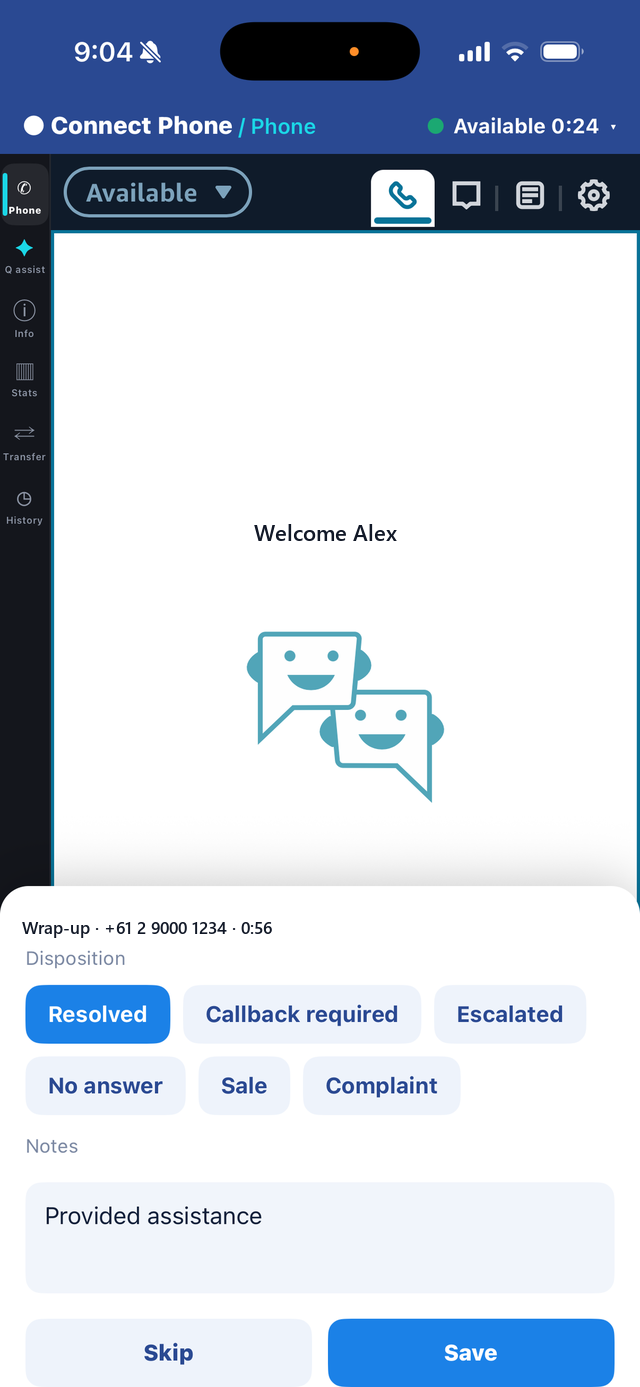
- Write back. A disposition and notes captured on the phone must land on the Amazon Connect contact, or your quality and reporting data has a mobile-shaped hole in it.
- Authenticate like the rest of your estate. SAML single sign-on or native Connect login, with no Connect credentials stored on the device. Personal phones make this non-negotiable.
- Be honest about ringing. See below — this is the criterion vendors are least straight about.
The ringing question, answered plainly
Ask any mobile softphone vendor exactly when the app rings, and don't accept "it rings" as the answer. We put that question, and the pricing, side by side in Connect Phone vs Mobile Connect.
Connect Phone rings while the app is open, using Amazon Connect's own softphone ringtone, and answers in a tap. It does not ring on the lock screen with the app closed. Ringing a force-closed app requires Apple's CallKit driven by a VoIP push, and on a browser-based softphone that mechanism can disrupt the call audio itself. It's on the roadmap and it isn't shipping until it's solid. We'd rather write that here than let you discover it in week two.
In practice this means agents keep the app open while rostered on a queue — the same discipline as keeping the CCP tab open at a desk. For rostered work that is a non-issue. If your requirement is genuinely "somebody's phone must ring at 3am from a cold start", say so during evaluation, because that is a different product and several vendors will imply they have it when they don't.
Which metrics you keep
This is the practical test of whether a mobile app has actually kept the call inside Amazon Connect: does the mobile agent look identical to a desk agent in your reporting?
With a genuine softphone, they do. The contact is routed by the same queues and skills, recorded in your instance under your retention rules, and measured the same way — handled count, average handle time, talk, after-call work, hold, occupancy, adherence. Contact Lens analyses the conversation like any other. Supervisors see mobile agents in the real-time metrics page alongside everyone else, and your wallboards don't need a footnote.
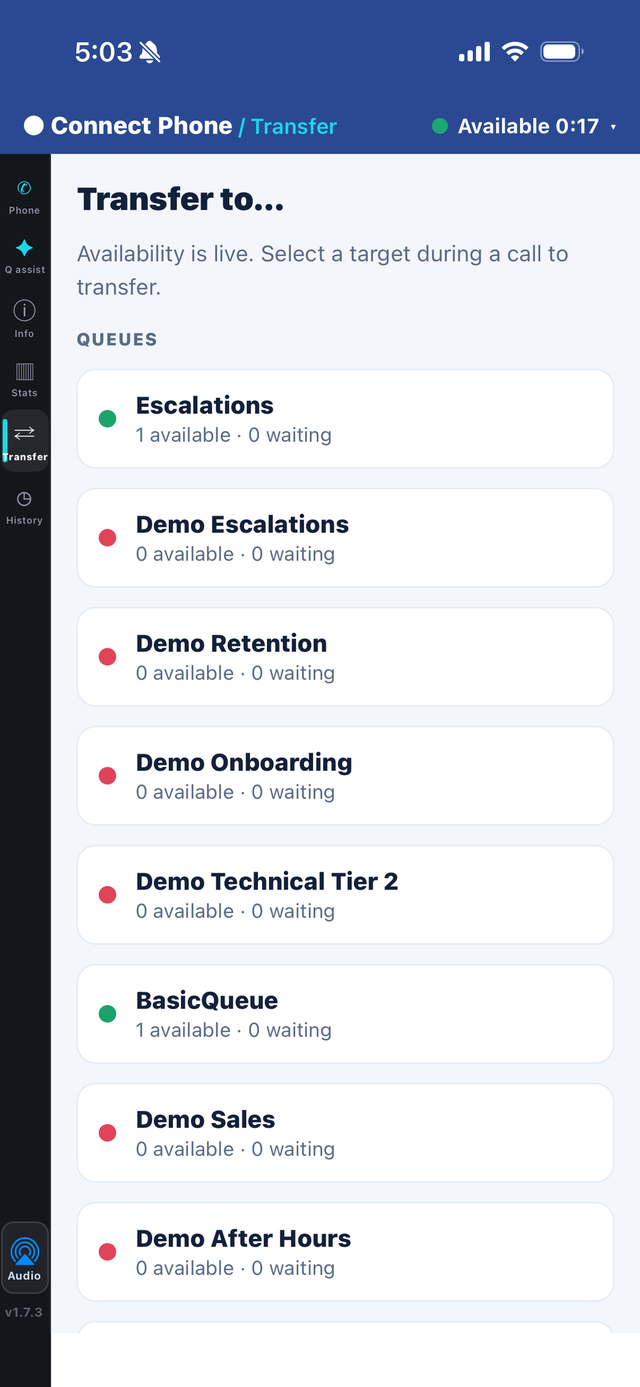
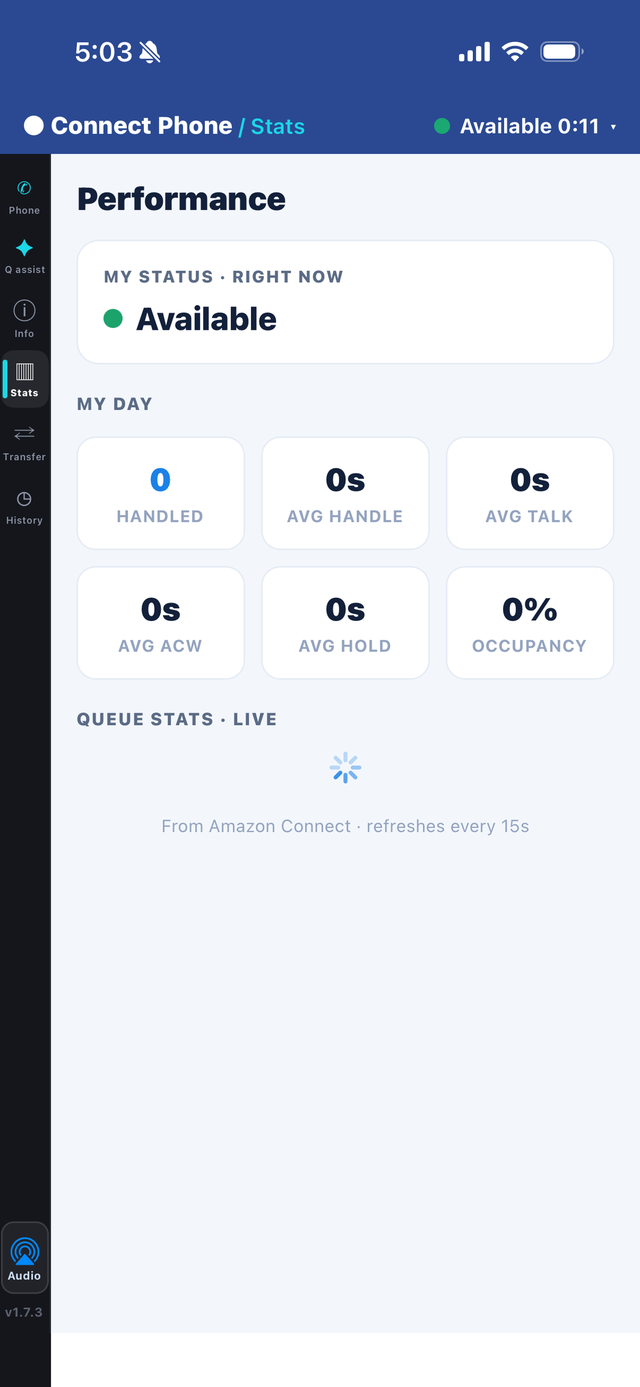
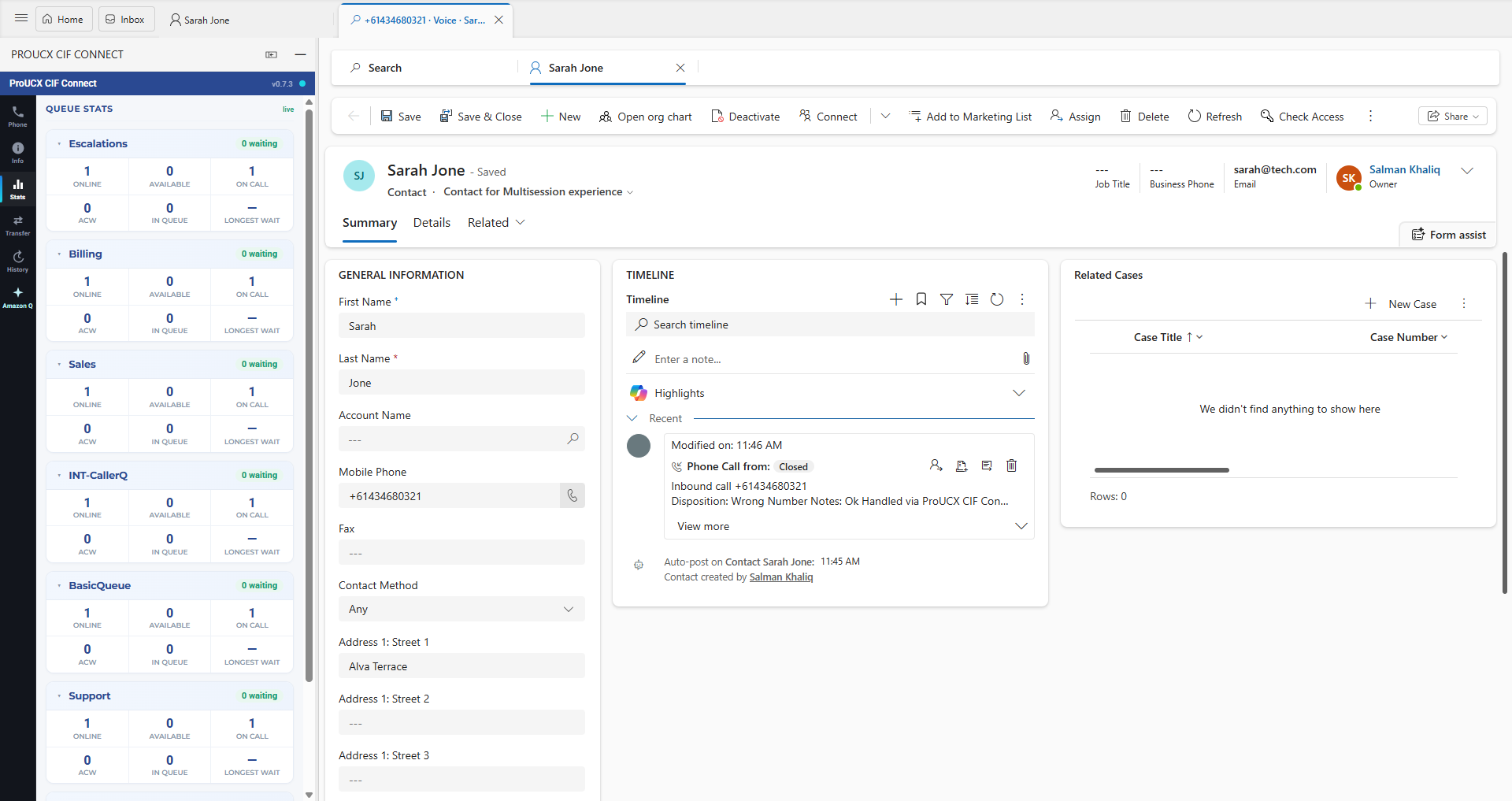
Connect Phone also surfaces those numbers to the agent: live handled count, AHT, talk, ACW, hold and occupancy on the phone, plus queue stats and a transfer directory showing which queues and agents are actually available. Roaming agents lose the ambient awareness of a contact-centre floor, and giving them the numbers directly is what closes that gap.
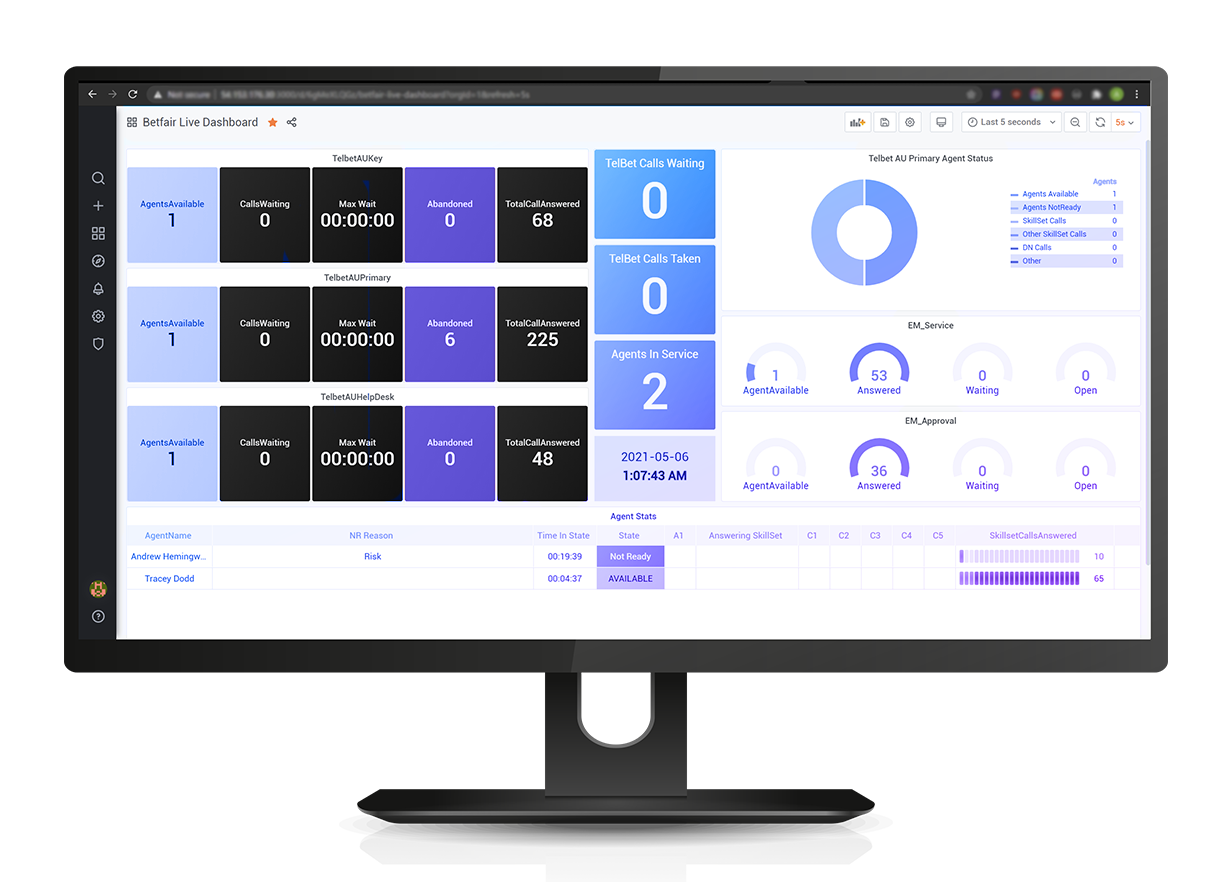
If you want the same picture on a screen the whole floor can see, that's what LiveUCX wallboards are for.
How to roll it out to a team
- Pick the cohort that actually needs it. Not everyone. Start with on-call, field and floor-walking staff — the people for whom the alternative today is a forwarded call or nothing.
- Decide the roster rule first. Agree what "rostered on the queue" means for a mobile agent, including when the app is expected to be open, before anyone installs anything. This is a people decision that gets blamed on software.
- Wire up sign-in. Configure the workspace and share the one-time workspace code. Agents install from the App Store, enter the code once, then sign in with their Connect login or SAML SSO.
- Test on the real network. Mobile data in a car park is not office Wi-Fi. Run a week of real calls across the conditions your agents actually work in.
- Check the reporting before you scale. Pull a real-time and a historical report and confirm mobile-handled contacts appear exactly like desk-handled ones. If they don't, you have a forwarding arrangement, not a softphone.
What it costs
Connect Phone is free to download on the App Store; licensing is per agent per month through the ProUCX portal, not through Apple. Basic is US$10 per agent per month for the full softphone with voice, chat and tasks, transfer, conference, caller history, contact attributes and SSO. Medium is US$15 and adds live queue stats and agent performance, disposition write-back, recording pause and resume, and Amazon Q assist beside the call. Advanced is priced on application for CCP customisation, your own branding and deploy-in-your-account. It's built for teams of five or more, and it's also available on AWS Marketplace if you'd rather it hit your existing AWS bill.
Against that, weigh what a forwarded call costs you in unrecorded conversations and unmeasured handle time. For most contact centres with a compliance obligation, the recording gap alone settles it.
The short version
Amazon Connect has no first-party mobile app under either name, and the browser CCP doesn't travel. A real third-party softphone does exist, and the test of a good AWS Connect mobile app is boringly simple: the call stays a routed Amazon Connect contact, and the agent on a phone appears in your reporting exactly like the agent at a desk. Anything that fails that test is call forwarding with an icon.
If you need the numbers to take to a budget conversation — which routing, recording and reporting you actually lose on a forwarded call — that's the companion piece: Amazon Connect on a phone: mobile agents without losing the contact.
Common questions
What is Amazon Connect's desk phone mode?
A setting in the Contact Control Panel rather than a product you buy. Under Settings, an agent sets Phone type to Desk phone and enters a number; the audio portion of each call then goes to that number while the agent keeps managing the call — accept, hold, transfer, wrap-up — from the Contact Control Panel, or from an app standing in for it. The contact stays an Amazon Connect contact throughout, which is what separates it from forwarding a queue to a mobile.
Does Amazon Connect have a mobile app?
Not one published by AWS. The agent experience AWS ships is the Contact Control Panel, a browser application, so the platform treats a mobile agent as a desk agent who happens to have moved. A genuine Amazon Connect softphone for iPhone does exist on the App Store, built by LiveUCX rather than by AWS.
Is there an Amazon Connect app for iPhone or Android?
For iPhone, yes — a full agent softphone that signs into your own Amazon Connect instance. For Android there is no equivalent from us yet; an Android build is in development. If you need Android today, the comparison with the other app on the market covers who does ship it.
Is Amazon Connect on the App Store?
Amazon Connect itself is not, because AWS does not publish an agent app. What is on the App Store is a third-party softphone that connects to your Amazon Connect instance. It is free to download; the licence is charged per agent per month separately, not through Apple.
Is there an AWS Connect mobile client?
Same question, different phrasing. “AWS Connect” is common shorthand for Amazon Connect, and AWS’s own documentation only uses the long form, so both point at the same platform. There is no AWS-published mobile client under either name. Be a little sceptical of vendors who lean on the AWS phrasing, because it is a cheap way to look first-party when nobody is.
Is forwarding Amazon Connect calls to a mobile the same thing?
No, and the difference shows up in your reporting rather than in the call. A forwarded call leaves the contact centre: the conversation is typically unrecorded, handle time is unmeasured, and the agent has no transfer, no wrap-up and no contact attributes. A softphone keeps the contact inside Amazon Connect from beginning to end.
Does the app ring when it is closed?
Connect Phone rings while the app is open, using Amazon Connect’s own softphone ringtone, and answers in a tap. It does not ring on the lock screen with the app force-closed: that needs Apple’s CallKit driven by a VoIP push, and on a browser-based softphone that mechanism can disrupt the call audio itself. In practice agents keep the app open while rostered, the same discipline as keeping the CCP tab open at a desk. Ask any vendor this question and do not accept “it rings” as the answer.
Do mobile agents still appear in Amazon Connect reporting?
With a genuine softphone, yes, and this is the practical test of whether a mobile app has really kept the call inside the platform. The contact is routed by the same queues and skills, recorded in your instance under your retention rules, and measured the same way — handled count, average handle time, talk, after-call work, hold, occupancy, adherence. Contact Lens analyses it like any other contact and supervisors see mobile agents in real-time metrics alongside everyone else.
What does an Amazon Connect mobile app cost?
The app is free to download. Licensing is per agent per month: Basic at US$10 for the full softphone with voice, chat and tasks, transfer, conference, caller history, contact attributes and SSO; Medium at US$15 adding live queue stats, disposition write-back, recording pause and resume and Amazon Q assist; and Advanced on application for CCP customisation and deploy-in-your-account. It is built for teams of five or more and is also available on AWS Marketplace.
Put your Amazon Connect agents on the phone in their pocket
A full agent softphone for iPhone, connected to your own Amazon Connect instance.
Forwarding a queued call to a mobile number quietly drops routing, recording, metrics and the contact record. Why a real softphone on the agent's iPhone keeps every call inside Amazon Connect.
The native metrics page is a supervisor tool, not a floor tool. What it can't do — thresholds, alerting, floor maps, more than one platform — and how to get a wallboard live.
Link, embed, CTI or full workspace — four products at four prices. What screen-pop really requires, how logging differs per CRM, and the eight questions to ask before signing.