
Amazon Connect CRM integration: a 2026 buyer's guide
Four different products at four different prices all call themselves CRM integration. This guide sets out the four depths of integration, what screen-pop genuinely requires, how call logging differs by CRM, the questions that decide residency and tenancy, and how to make the build-versus-buy call without regretting it in year two.
The four integration depths
Before comparing vendors, work out which of these you are actually being sold.
1. Link. The contact centre opens a CRM URL when a call arrives. No shared state; the CRM doesn't know a call is in progress and the phone system doesn't know what the agent did. Cheap, fast, and it does solve "the agent had to search". It solves nothing else.
2. Embed. A softphone is placed inside the CRM as an iframe or a panel, but the two don't talk. The agent stops alt-tabbing, which is a real productivity gain, and still logs calls by hand. Many "integrations" in marketplaces are this.
3. CTI. Bidirectional. Call events drive the CRM — screen-pop on ringing, matched to the right record — and CRM actions drive the phone: click-to-dial, transfer, hold, disposition. Calls are written back automatically as the CRM's native activity object, with duration, outcome, notes and a recording link. This is what most organisations mean when they say integration, and it's the level at which the numbers in a CRM report start being trustworthy.
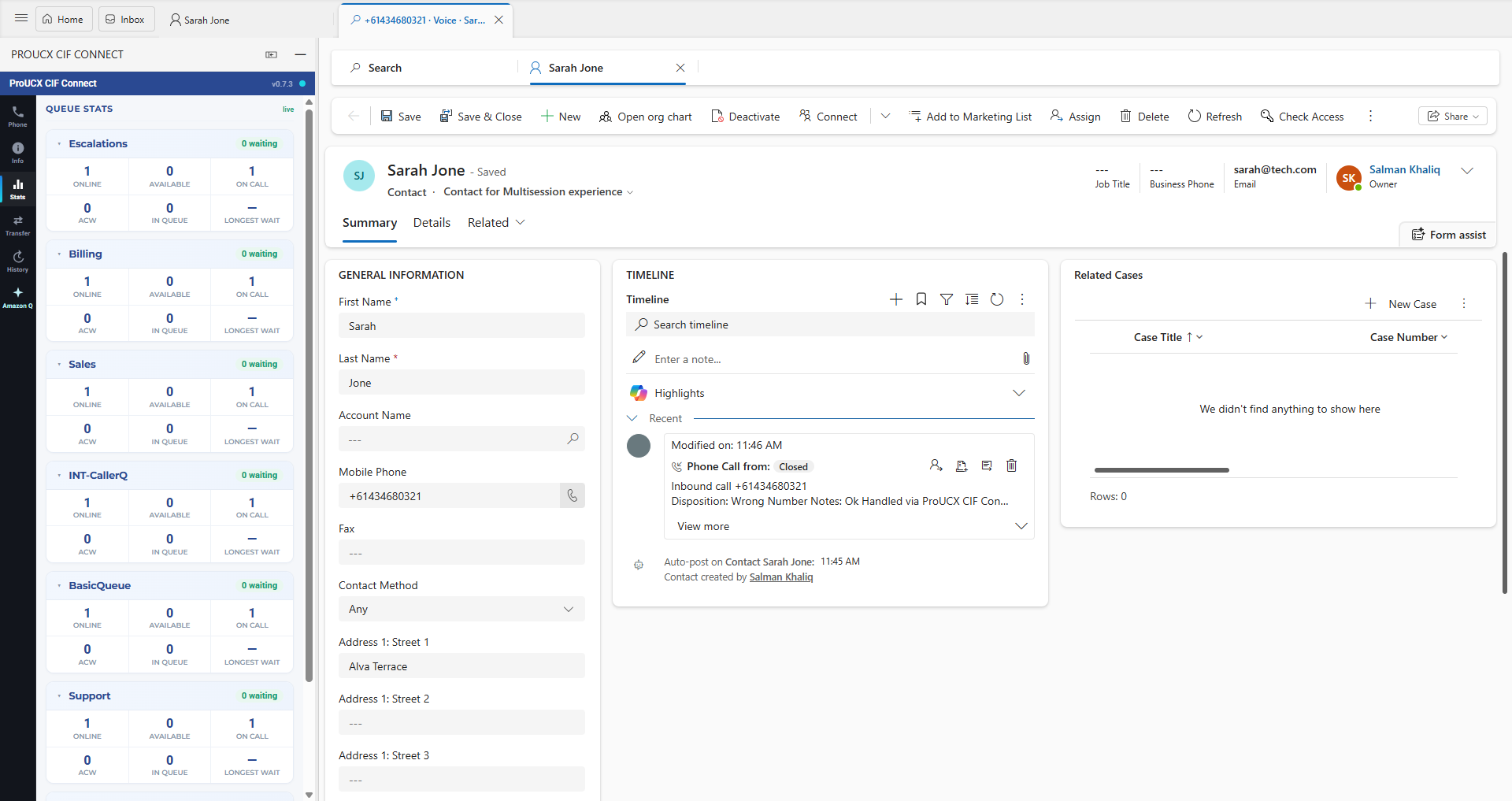
4. Full workspace. The agent lives entirely in the CRM: presence and availability set from the CRM UI, omnichannel routing of voice, chat, email and tasks through one engine, multi-session handling with per-session state, and productivity tooling on top. This is where Microsoft's Channel Integration Framework v2 sits, and it's a materially bigger implementation than CTI — sessions, templates and application tabs all have to be provisioned in the CRM.
Depth 3 is the right target for most contact centres. Depth 4 is right when agents handle several concurrent conversations across channels and the CRM is the system of record for all of them. Paying for 4 and using it as 3 is a common and expensive mistake.
What screen-pop actually requires
Screen-pop demos beautifully and breaks in production for reasons that are always the same six things.
- Number normalisation. Your CRM holds
0400 123 456,+61400123456,0061 400 123 456and(07) 3000 0000. The ANI arrives in one canonical form. Matching has to normalise both sides to E.164 before comparing, and it has to handle the Australian leading-zero rule rather than assuming North American formatting. - Query escaping. The
+in an E.164 number is a reserved character in several CRM query languages and must be encoded before the lookup is issued. Get this wrong and every mobile number silently fails to match while landlines work — the classic "it works for some callers" bug. - Per-entity match fields. A number may sit on a contact, a lead, an account, a case or a custom object, in a main field or a mobile field. Which entities are searched, in which order, and which field on each, has to be configurable per customer. There is no universal default.
- Multiple matches. Shared household numbers, switchboards and family members are normal. The connector needs a picker, not a coin toss, and the picker must appear fast enough to be used.
- No match. The right behaviour is usually a pre-filled quick-create so the agent captures the caller rather than losing them, not an error.
- Latency. The pop must land before the agent finishes saying hello. Roughly a second is the budget, and it has to hold on a customer's slowest CRM instance, not on your demo tenant.
Ask any vendor to demonstrate all six on your data. It takes twenty minutes and it is the most predictive twenty minutes of the whole evaluation.
Logging: activity, engagement or task
Every CRM records a call, and no two record it the same way — which is why "we log calls" is not a specification.
In Dynamics 365 a call is a Phone Call activity, related to a regarding record, with participants, direction and a status reason; wrap-up dispositions typically map to option-set fields you have to agree in advance. In HubSpot a call is an engagement on the record timeline, with an outcome from a defined list, and it needs to be created through the supported calling API if it is to behave like a native HubSpot call for reporting. In Pipedrive a call is an activity, and the interesting part is association: it must attach to the person and the right deal, or your pipeline reporting quietly understates activity.
Four questions worth settling before you sign:
- Is the activity written on answer, on hang-up, or after wrap-up — and what happens if the browser crashes in between?
- Are abandoned and unanswered calls logged? They should be; they're the ones you'll want in a service review.
- Where does the recording live and what is stored in the CRM — the audio, or a link to storage you control?
- Can the agent edit or reassign the logged activity afterwards, and is that edit audited?
A worked example of all of this on one CRM is in our comparison of Pipedrive calling and an Amazon Connect CTI.
Multi-tenancy and data residency
A CRM connector sits between two systems and therefore sees everything that passes between them. Four questions decide whether it is safe.
What does the connector store? The good answer is configuration and tokens, not conversations. Ask specifically whether call content, transcripts or customer records are persisted, and for how long.
Where does it run? Amazon Connect data stays in your AWS account and region. The connector's own broker may not. For Australian buyers with a residency obligation this is the question that matters most — ProUCX runs with residency options in Australia, Singapore, the USA and Europe, and you should expect any vendor to answer as precisely.
How are tenants isolated? Per-tenant configuration and credentials, not one shared configuration with a customer identifier in a query string.
Who can reach the administration surface? Portals should be authenticated, and they should be excluded from search indexing. If a vendor's customer portal turns up in a Google search, that tells you something about the rest of it.
The security page sets out how ProUCX answers these.
Build versus buy
Building is entirely feasible. Amazon Connect's Streams API is public and well documented, every serious CRM has an embedding SDK, and a capable developer can demonstrate a working screen-pop in a fortnight. That fortnight is not the project.
The project is what follows: OAuth token refresh that survives long shifts; approved-origin configuration for every embedding surface; browser policy changes that break microphone access or third-party cookies without notice; CRM API version deprecations on the CRM vendor's schedule, not yours; multi-region behaviour; per-customer field mapping; the picker, the quick-create and the wrap-up mapping described above; and someone rostered to fix it the morning a platform update lands. Integration code is not a project with an end date, it's a permanent maintenance line.
Platform churn is the part most business cases miss. The industry is currently absorbing exactly that kind of change on the Salesforce side, with a deadline that is forcing an entire generation of connectors to be rebuilt — we looked at what that does to the market in the CRM integration market: where the connector gaps are. Whoever owns your connector owns that work.
Build when the CRM is bespoke or the workflow is genuinely unique to your business. Buy when the CRM is a mainstream product and you want the vendor absorbing platform change. And if you buy, buy something metered — ProUCX's Amazon Connect connectors for Pipedrive, HubSpot and Dynamics 365 are on AWS Marketplace at US$9 per agent per month, or US$15 on the premium tier, which is cheaper than the meeting you would hold to decide whether to build one.
The evaluation checklist
- Which depth is this — link, embed, CTI or full workspace? Get it in writing.
- Show me screen-pop against my data, including a mobile number, a shared number and an unknown caller.
- Which CRM object is written, with which fields, and when in the call lifecycle?
- What happens on a transfer, a conference and a second concurrent contact?
- Where does the connector run, what does it store, and in which region?
- Who configures per-customer field mapping — you, or a support ticket?
- What's the release cadence, and what happened the last time the CRM vendor made a breaking change?
- Can I buy it on my existing AWS bill, and can I turn it off next month?
If you're comparing platforms as well as connectors, the platform-level view is in Amazon Connect vs NICE CXone vs Genesys, for CRM integration.
The short version
Decide the depth first, because it determines the price and the value. Test screen-pop against real, messy customer data before anything else. Agree exactly which CRM object gets written and when. Settle residency and tenancy in writing. And treat build-versus-buy as a decision about who maintains the integration for the next five years, because that's the actual question.
See the connectors, CRM by CRM
Amazon Connect, NICE CXone and RingCentral connectors for the CRMs your team already uses.
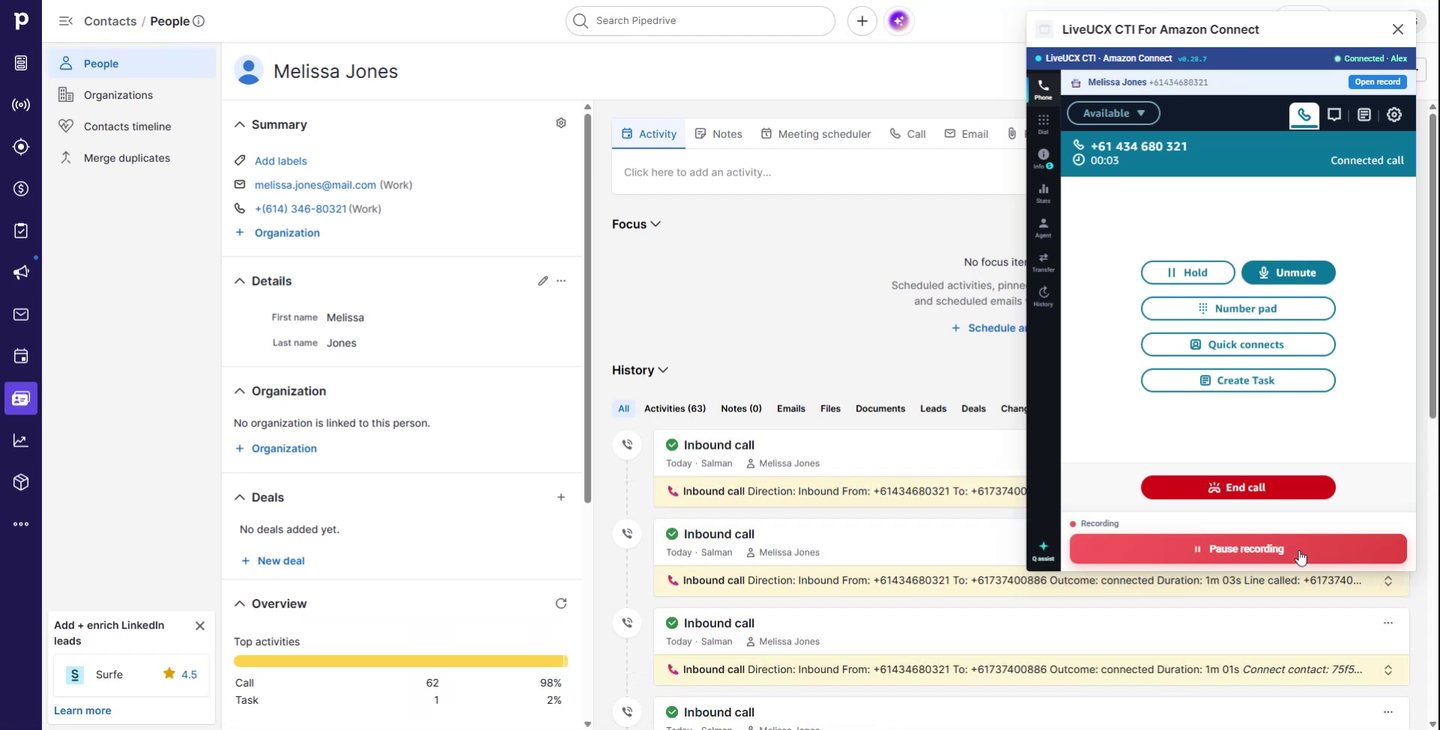
What Pipedrive’s built-in calling covers, where a CRM stops being a contact centre, and what changes when an Amazon Connect CTI takes over the call.
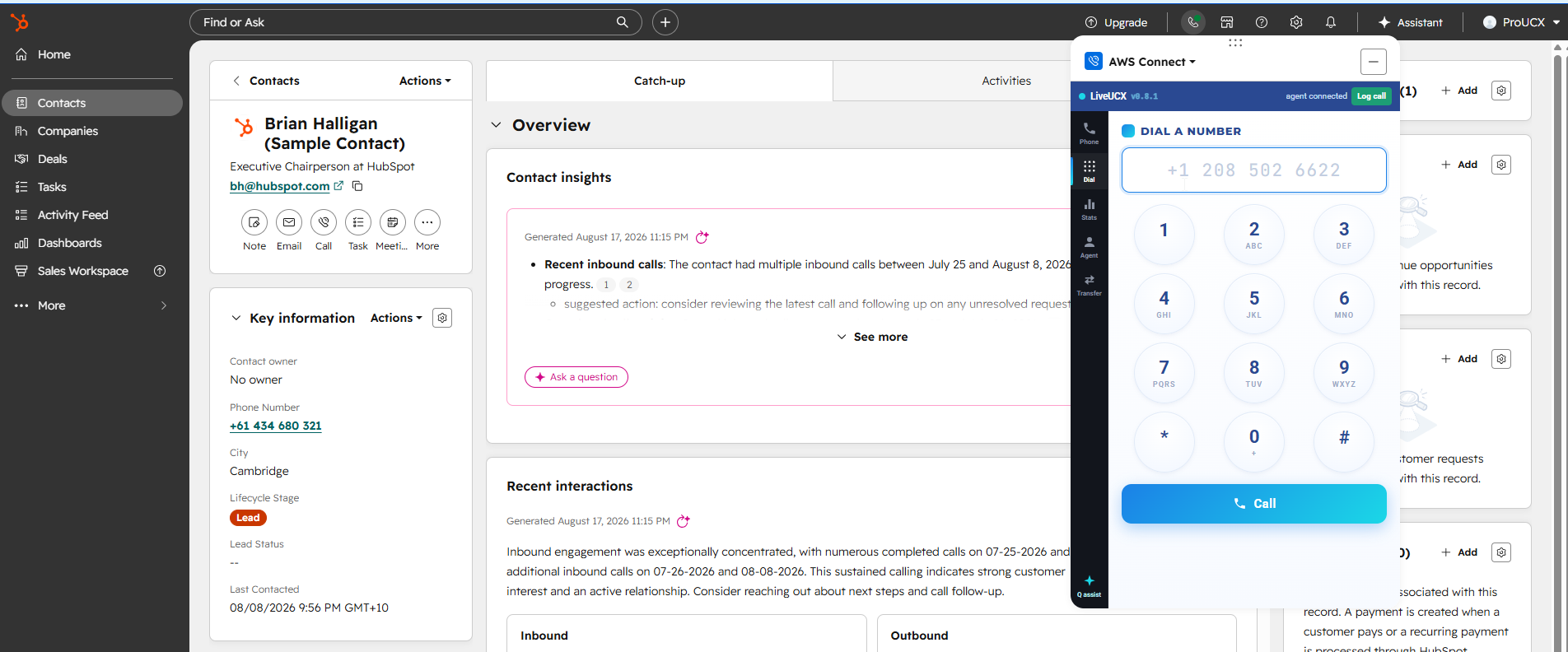
HubSpot Calling is a good phone feature and a poor contact centre. Where the line sits on routing, queues, IVR and compliance recording, and how Calling Extensions joins the two.
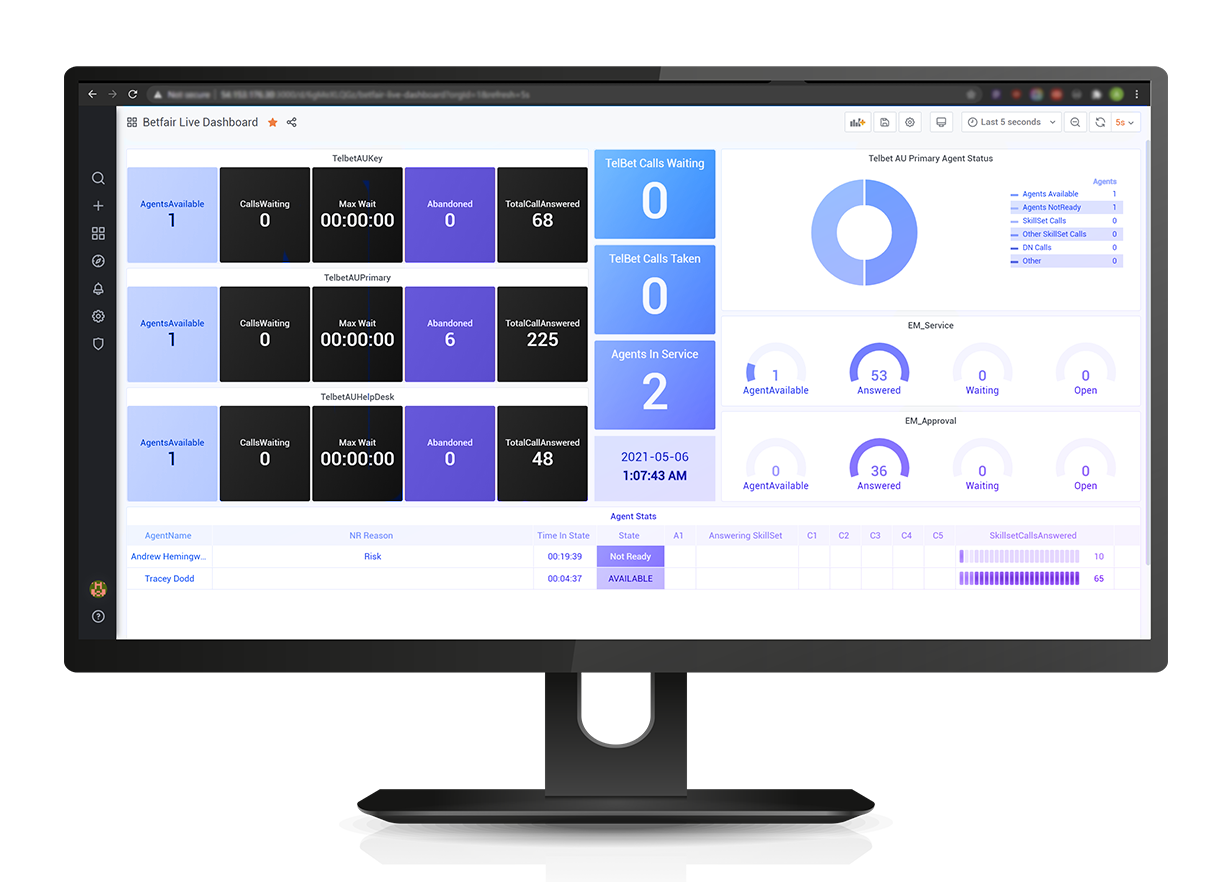
All three cover the enterprise CRMs and all three leave the mid-market to connectors. Native coverage, the five cost lines, migration friction, and what to do if the CRM is Dynamics, HubSpot or Pipedrive.