
Pipedrive calling, or an Amazon Connect CTI?
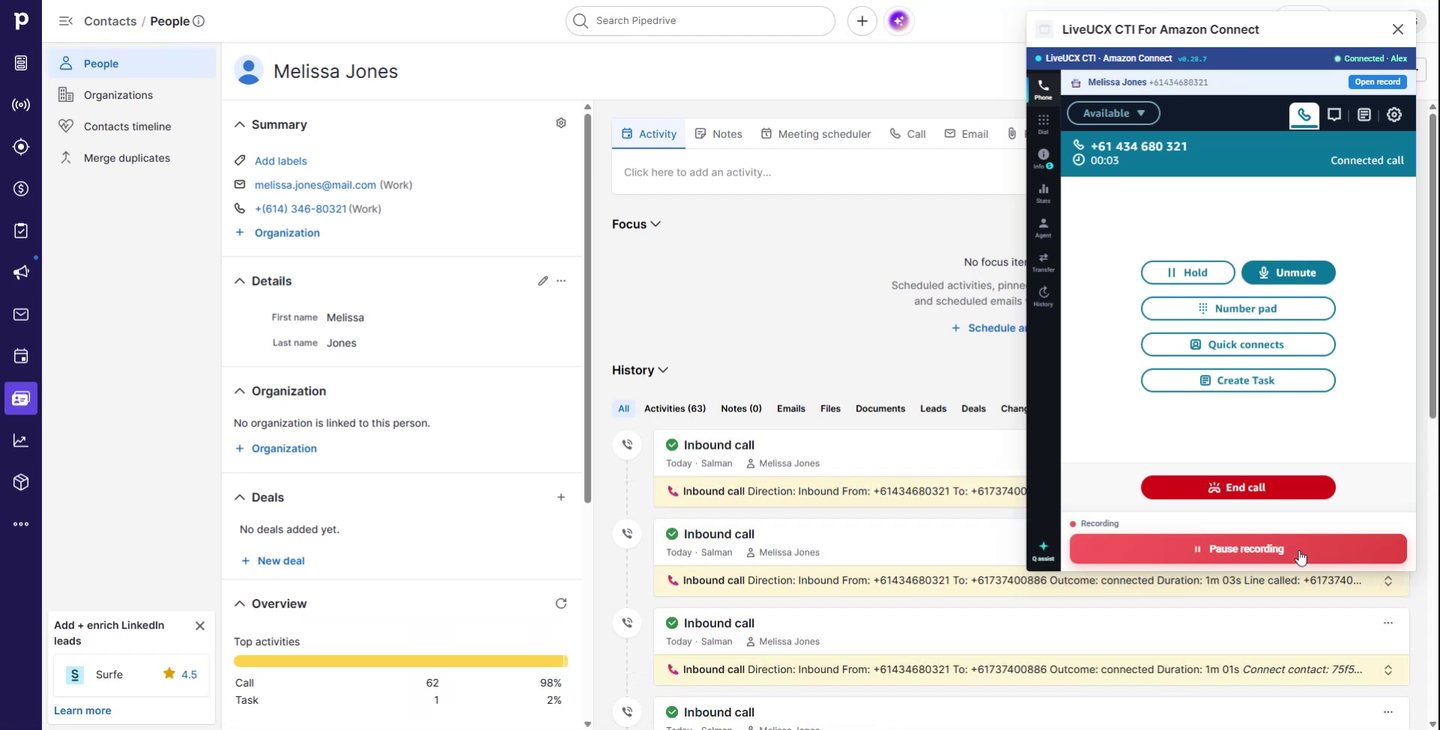
Pipedrive is where your reps live. Amazon Connect is where the calls actually happen. Joining them properly is the difference between a pipeline that reflects reality and one built on whatever people remembered to type in. Here's what Pipedrive does on its own, what a real CTI connector adds, and how the pieces fit.
This page compares Pipedrive’s own calling with a CTI connector. If you want the product, pricing and a demo, see Amazon Connect for Pipedrive.
What Pipedrive gives you natively — and where it stops
Pipedrive is not phone-hostile. Phone numbers on a person or organisation are clickable, so a rep can start a call from the record. Pipedrive offers its own built-in calling, and its Marketplace carries a long list of telephony apps. Every call can be recorded as an activity against the person and the deal, and once it is, everything else Pipedrive does well — activity reminders, pipeline reporting, forecasting — works off it.
The stopping point is that Pipedrive is a CRM, not a contact centre. It has no queues, no skills-based routing, no IVR, no service-level targets, no supervisor view of who is on a call right now, and no compliance-grade recording regime with retention rules attached. That is not a criticism; it is a boundary, and it is the correct boundary for a sales CRM.
The second stopping point is subtler and costs more. Native and lightweight dialler integrations tend to be outbound-first. They make it easy to click a number and dial out. They are much weaker on the inbound side — the call that arrives from a number nobody typed, that needs to reach the right rep, and that has to land against the right record before the rep says hello. Inbound is where a CRM-plus-dialler arrangement quietly falls apart, and inbound is where most of the value of a real integration sits.
And whatever the mechanism, unless something writes the call back automatically, logging depends on a rep who has just finished a difficult conversation choosing to type it up. Some do. Enough don't that your reporting develops a lean.
What a real CTI connector adds
A computer-telephony-integration connector puts the contact centre inside the CRM instead of beside it. With Amazon Connect on one side and Pipedrive on the other, that means five things:
- A docked softphone. Full call control — answer, hold, mute, transfer, keypad, quick connects — living in a panel inside Pipedrive that stays connected as the rep moves between records. No second tab to lose, no separate app to alt-tab into mid-call.
- Screen-pop on inbound. The caller's number is matched against Pipedrive and the person or deal opens automatically as the call connects.
- Click-to-dial and search-to-dial. Dial any Pipedrive number in one click through Amazon Connect, or type a name into the panel to find and call a contact.
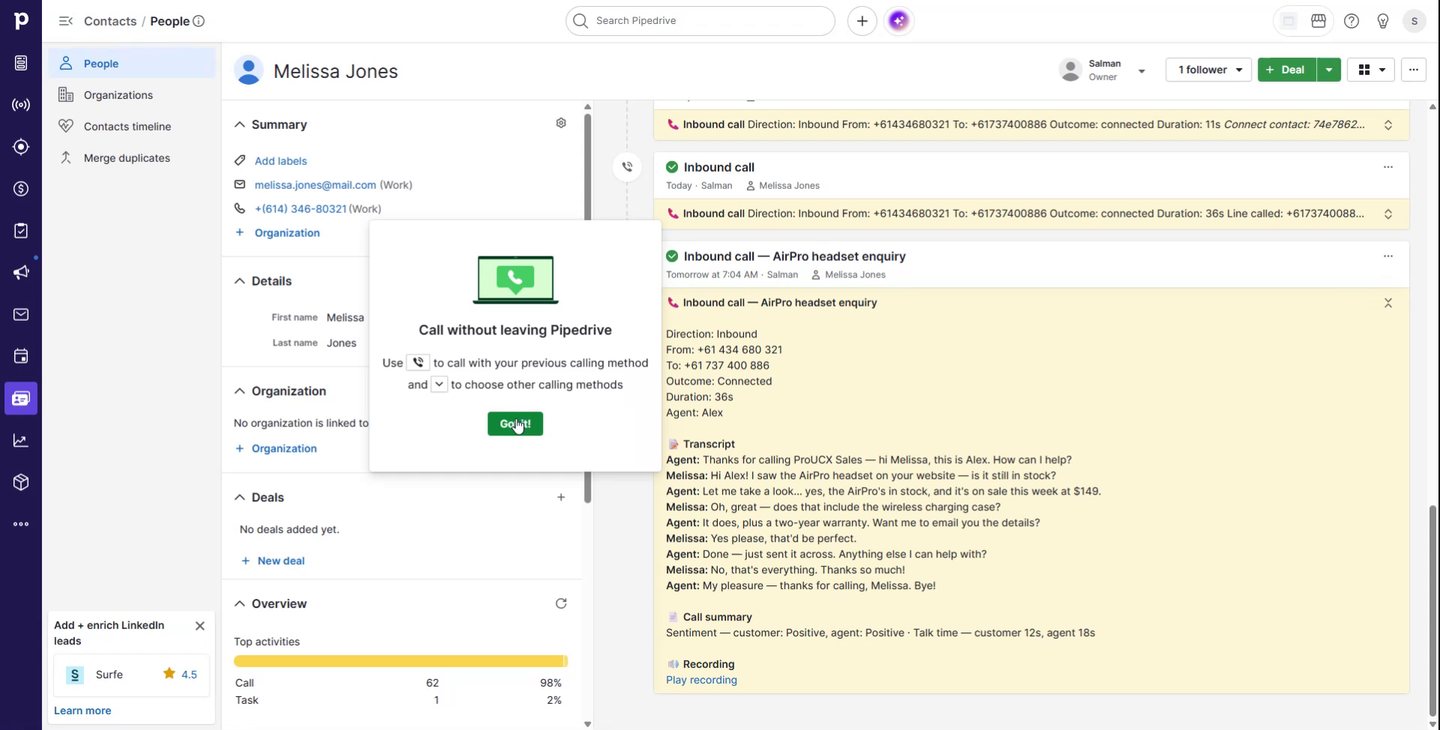
- Automatic activity logging. Inbound and outbound calls become Pipedrive activities with direction, duration, outcome and disposition, attached to the right person and deal.
- Live queue visibility. Contacts waiting, agents available and longest wait, shown in the panel, so a rep can see the floor without a second screen.
Critically, none of this replaces your telephony. The connector links the Amazon Connect instance you already run to Pipedrive. There is no second dialler to buy, no second set of numbers, and no second place where call recordings end up.
Screen-pop: matching a caller to a person and a deal
Screen-pop sounds trivial and is the feature most likely to disappoint, because matching a phone number to a CRM record is genuinely fiddly. Three things decide whether it works in practice.
Number formatting. Amazon Connect presents caller ID in E.164 — +61412345678. Pipedrive holds whatever the rep typed: 0412 345 678, (02) 9000 1234, +61 2 9000 1234, sometimes with an extension appended. A match that only compares strings will fail on most Australian records. Matching has to normalise both sides before comparing, and it has to cope with the leading-zero national format that AU mobiles are almost always stored in.
Which entity wins. A number can belong to a person, to an organisation, or to several people at the same organisation — a switchboard number on twenty contacts is common in B2B. Popping the wrong one of twenty is worse than popping nothing, because the rep now believes something false. Sensible behaviour is to prefer a unique person match, fall back to the organisation, and where a number genuinely matches several records, present the choice rather than guess.
Which deal. The person is only half the answer for a sales team; the rep wants the open deal. Where a matched person has one open deal, that is the obvious context. Where they have four, the rep needs to be able to pick without leaving the call.
The pay-off is small per call and enormous in aggregate: the record is open before the greeting finishes, so the rep opens with the customer's situation instead of "can I take your name?".
Logging calls as Pipedrive activities
Automatic logging is where the pipeline stops lying. When a call ends, the connector writes a Pipedrive activity carrying direction, duration, outcome and disposition, linked to the matched person and deal.
Beyond the basics, the ProUCX connector attaches what Amazon Connect already produced for that contact: a link to the call recording, the Contact Lens transcript, and an AI summary of the conversation. That combination changes who can use the record. A sales manager reviewing a stalled deal reads the summary instead of listening to twenty minutes of audio. A rep picking up a colleague's account sees what was actually promised. And because the recording stays in your own AWS account, your retention and access rules continue to govern it — the activity holds a link, not a copy.
A note on the discipline: automatic logging only helps if dispositions are a short, meaningful list. Thirty outcomes produce noise. Six produce a report someone will read.
What else lands in the panel
Two capabilities matter more than they sound. Amazon Q assist surfaces answers from your knowledge base while the rep is on the call, inside Pipedrive, which is the difference between "I'll find out and call you back" and answering the question. And where you also run Live AI Agent, the AI's summary, detected intent and transcript arrive with the transferred call — so a rep taking an escalation opens the conversation already knowing what the caller wants.
On security, the arrangement is deliberately keyless: your Amazon Connect instance stays in your own AWS account and is read through a scoped, read-only role. There are no AWS access keys to hand over. Tenants are isolated from one another, and data residency is available in Australia, Singapore, the USA and Europe.
Getting it live
The sequence is short, and most of the elapsed time is your own change control rather than the install:
- Subscribe. AWS Connect for Pipedrive is listed on AWS Marketplace, so it bills against the AWS account you already have. Licensing is metered per active agent — US$9 or US$15 per agent per month depending on tier. Direct plans are on the pricing page if you'd rather not buy through AWS.
- Authorise Pipedrive once. An OAuth connection links your Pipedrive company to the connector.
- Point it at your Connect instance. The scoped read-only role is created in your AWS account, and the connector's origin is approved on the Connect instance so the softphone can embed.
- Tidy your phone numbers. This is the step teams skip and then blame the connector for. Run a data pass over person and organisation numbers before go-live; matching quality is capped by data quality.
- Agree dispositions, then pilot. Give a handful of reps a week of real calls before rolling out. Watch two things: what proportion of inbound calls popped the right record, and whether the logged activities read usefully.
The short version
Pipedrive gives you a place to click a number and somewhere to record what happened. Amazon Connect gives you routing, recording and reporting. A CTI connector is what makes them one screen — inbound calls popping the right person and deal, every call logged with its recording, transcript and summary, and reps who never leave the CRM to make a phone call.
Common questions
Does Pipedrive have built-in calling?
Yes. Phone numbers on a person or organisation are clickable, Pipedrive offers its own calling, and its Marketplace carries a long list of telephony apps. Calls can be recorded as activities against the person and the deal, and once they are, Pipedrive’s activity reminders, pipeline reporting and forecasting all work off them.
Why isn't Pipedrive's native calling enough for a contact centre?
Because Pipedrive is a CRM, not a contact centre, and that is the correct boundary for it. There are no queues, no skills-based routing, no IVR, no service-level targets, no supervisor view of who is on a call right now, and no compliance-grade recording regime with retention rules attached. None of that is a criticism of Pipedrive; it is simply not what a sales CRM is for.
What is the difference between a dialler integration and a CTI connector?
Direction, mostly. Native and lightweight dialler integrations are outbound-first: they make it easy to click a number and dial out. They are much weaker on the inbound side — the call that arrives from a number nobody typed and has to reach the right rep. A CTI connector puts the contact centre inside the CRM rather than beside it, so inbound is a first-class case.
Can Pipedrive route an inbound call to the right rep?
Not on its own — routing is a contact centre function, and Pipedrive has no queues or skills-based routing to do it with. With Amazon Connect handling the routing and a CTI connector joining the two, the call reaches the right person and the matching Pipedrive record opens as it connects.
Do I still need Amazon Connect if Pipedrive can already make calls?
If your team only dials out and nobody rings you back on a number that needs routing, you may not. The case for Amazon Connect underneath Pipedrive is inbound volume, queues, compliance recording and reporting that a CRM is not built to provide. A CTI connector does not replace your telephony — it joins the two systems you already have.
Does a CTI connector change how calls appear in Pipedrive reporting?
It makes them more complete rather than different. Inbound and outbound calls become Pipedrive activities with direction, duration, outcome and disposition attached to the right person and deal, so the pipeline reporting you already run reflects what actually happened instead of what someone remembered to type in.
See it on your own Amazon Connect and Pipedrive
Screen-pop, click-to-dial and automatic activity logging, live in Pipedrive.
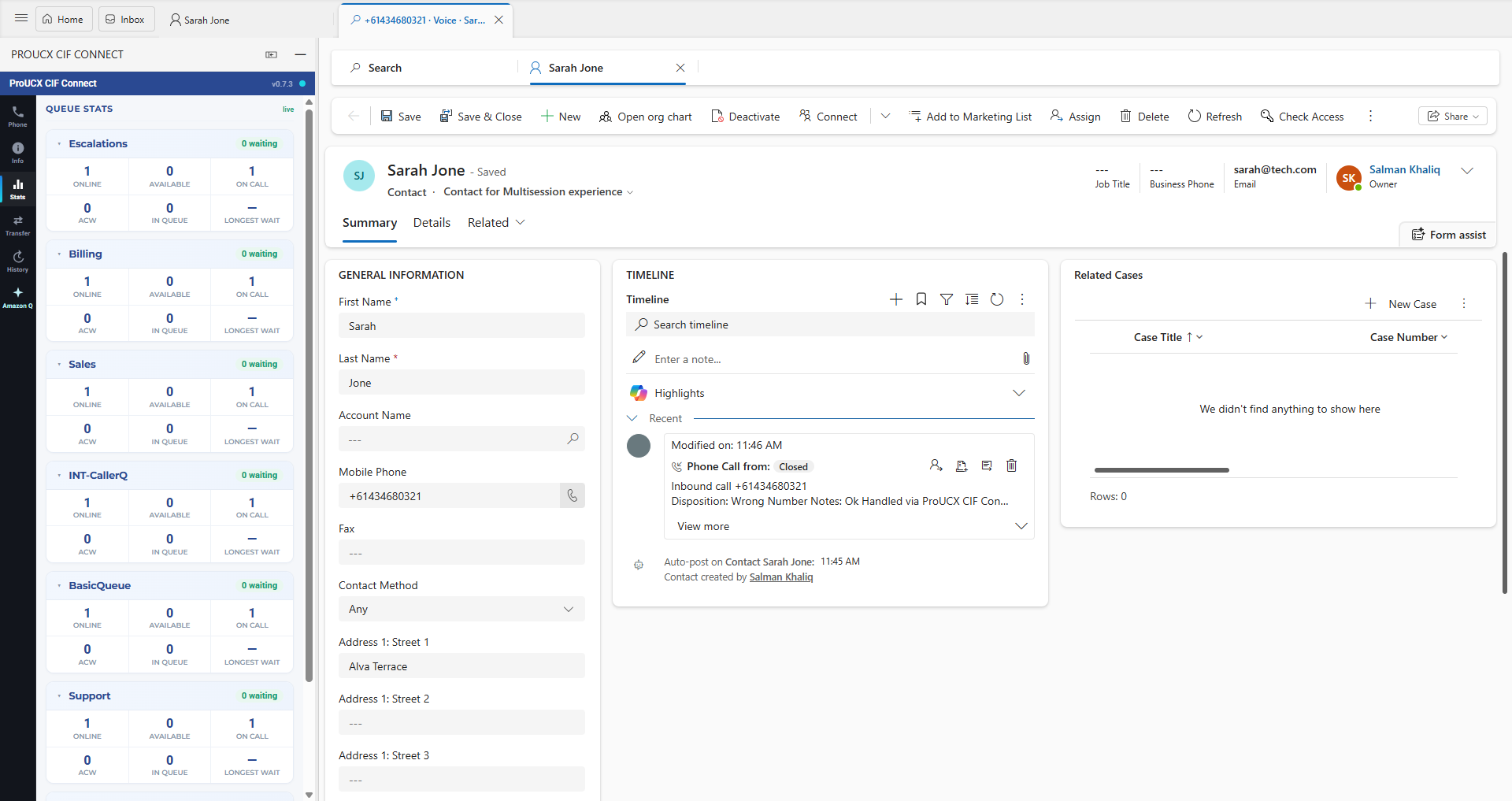
Link, embed, CTI or full workspace — four products at four prices. What screen-pop really requires, how logging differs per CRM, and the eight questions to ask before signing.
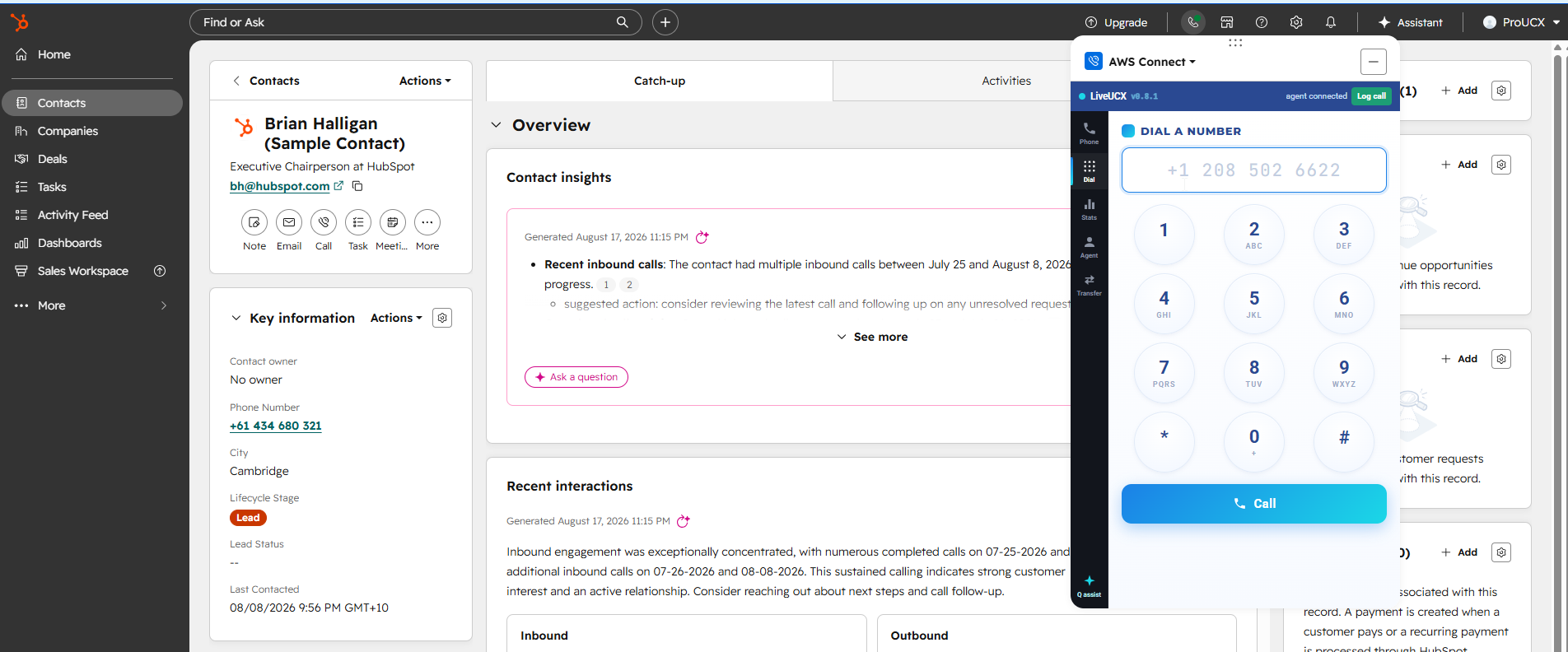
HubSpot Calling is a good phone feature and a poor contact centre. Where the line sits on routing, queues, IVR and compliance recording, and how Calling Extensions joins the two.
All three cover the enterprise CRMs and all three leave the mid-market to connectors. Native coverage, the five cost lines, migration friction, and what to do if the CRM is Dynamics, HubSpot or Pipedrive.