
Bring every RingCentral call into Pipedrive.
RingCentral Labs already publishes a Pipedrive app, so start there — ours is scoped, not shipping. If you need a Pipedrive CTI running today, the Amazon Connect one ships now.
Status: this connector is scoped, not yet shipping. If you need a Pipedrive CTI now, AWS Connect for Pipedrive is shipped, listed on AWS Marketplace and does the same job on Amazon Connect. If RingCentral is fixed for you, talk to us and we will scope it honestly rather than sell you a date.
RingCentral × Pipedrive · Screen-pop · Click-to-dial · Automatic activity logging · Multi-tenant
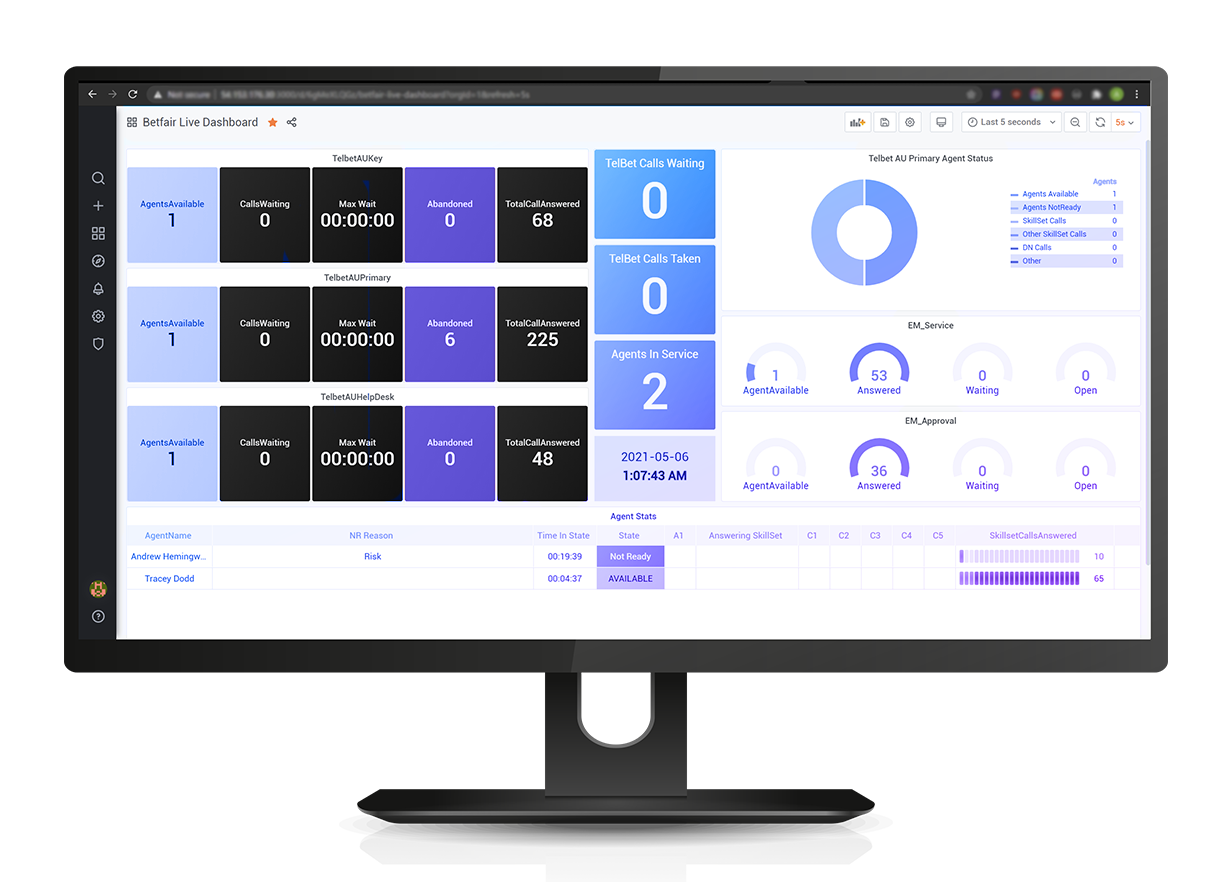


Connects your RingCentral phone system to Pipedrive — screen-pop, click-to-dial and logging in one place.

The matching person or deal opens the moment the call connects — no searching, more selling time.

Calls are written to Pipedrive as activities automatically, with outcome, duration and notes.

Calls attach to the right person and deal, so your pipeline reflects real activity.
Your reps sell in Pipedrive. Put the phone there too.
Sales reps shouldn't switch between a phone app and Pipedrive or log calls by hand. ProUCX makes the call and the Pipedrive record one screen.
From inbound call to logged Pipedrive activity
Authorise Pipedrive once; the connector links it to your RingCentral telephony.
On an inbound call the caller number is matched to Pipedrive and the person or deal opens automatically.
Click any phone number in Pipedrive to dial out through RingCentral.

The call is logged as a Pipedrive activity with outcome, duration and notes, linked to the person and deal.

Attach the recording and call outcome so managers get a complete picture in the pipeline.

Screen-pop person & deal on inbound, click-to-dial from any Pipedrive number, auto-logged call activities with outcomes, recordings linked to the activity, and multi-tenant per-tenant configuration hosted on AWS with data residency in AU, SG, USA & EU.
Everything sales expects — natively in Pipedrive
Inbound caller ID matched to Pipedrive; the person or deal opens automatically.
Dial any Pipedrive phone number through RingCentral in one click.
Inbound & outbound calls logged as Pipedrive activities with outcome, duration and notes.
Every call attaches to the correct person and deal in the pipeline.
Recordings linked to the logged activity where available.
Isolated per-tenant configuration, least-privilege access, regional data residency.
What a rep actually sees when the phone rings
The value of a CTI integration is decided in the four seconds between the phone ringing and the rep saying hello. Here is what the connector is designed to put in front of them in that window — and, just as importantly, what it does when the number is not one it recognises.
The inbound number is matched against Pipedrive as the call is presented, so the rep knows who it is while the phone is still ringing rather than after the introductions.
The matching Pipedrive person opens, with the open deal they are attached to. No search box, no tab-hunting, no asking a returning customer to spell their surname again.
Because the record is the Pipedrive record, the rep gets the pipeline stage, the deal value, the owner and the last activity in the same view — the things that change how the conversation should open.

Notes taken while the caller is talking are designed to attach to the activity being created for that call, so nothing has to be transcribed from a notepad after hang-up.
The rep picks an outcome from a short list you define during scoping rather than typing free text, which is what makes call reporting in Pipedrive worth reading a quarter later.

An unknown number is the common case for a sales line. The behaviour we design for is an explicit choice — offer to create the person, or log the call unlinked and let the rep attach it — not a silent failure that loses the call.
Outbound, without the copy-and-paste
Reps working a Pipedrive filter make dozens of calls a day, and every one of them currently costs a copy, a paste and a mis-keyed digit or two. Click-to-dial removes that, and — the part that matters to a sales manager — it means the outbound calls get logged on the same terms as the inbound ones.
Phone numbers on a person, an organisation or a deal become dialable. Working a filtered list means clicking down it rather than switching applications for each call.
Numbers in a CRM are never tidy: 0412, +61 412, (02) 9000 with spaces and brackets. The connector is designed to normalise to full international format before dialling, so a stored number is not a failed call.
The call is placed through your existing RingCentral service on the device the rep already works from. Which endpoints are in scope for your team is one of the things we confirm during scoping.
The activity is created from the record the rep dialled from, so it lands on the right person and the right deal without anyone choosing it from a dropdown afterwards.
No answer, engaged and voicemail are outcomes, not nothing. A dial that leaves no trace is why activity reporting and the actual effort of a sales team so rarely agree.

Outbound caller ID stays a RingCentral setting, so the local or main-line number you already present to customers is the number that keeps showing up on their phone.
What actually lands in Pipedrive after the call
“It logs calls” is the vaguest sentence in CTI, so here is the specific version. Every call is designed to become one Pipedrive call activity, on the record it belongs to, with enough on it that a manager can read the week without asking anyone what happened.
A Pipedrive call activity, marked done, carrying the direction, the start time and the duration — not a note pasted into a description field, and not two half-records for one conversation.
The activity attaches to the matched person, their organisation and the relevant open deal, so the call appears on the deal timeline where the pipeline review actually looks.
The outcome the rep chose and the notes they typed during the call, on the activity. Consistent outcomes are what make “how many quotes did we discuss last month” a query rather than a meeting.
Activities are attributed to the Pipedrive user who handled the call, which is what makes per-rep activity reporting mean anything. User mapping is set up once during onboarding.
Where recording is enabled and available on your RingCentral plan, the activity carries a link to it. The audio stays in RingCentral under your retention and access rules rather than being duplicated into your CRM.
The connector does not invent people or deals to make its own reporting look tidy. Creating a record from an unknown number is an explicit action a rep takes, on rules you set.
How a RingCentral and Pipedrive rollout runs
RingCentral for Pipedrive is delivered as a scoped engagement rather than a self-serve install: we agree the matching rules, the outcomes and the endpoints against your own tenancies before anything is switched on. It is all configuration — there is nothing to write and nothing to install on a rep's machine.
Your RingCentral plan and the endpoints your reps use, your Pipedrive edition, how many users, and the one or two behaviours that actually matter to your team. Half an hour, and it decides everything after it.
A one-time authorisation against your Pipedrive company, scoped to what the connector needs to read records and write activities. No credentials are shared and no data is exported.
The connector is authorised against your own RingCentral account so call events and click-to-dial run on the telephony you already pay for. There is no second dialer to licence.
Which phone fields to match on, what happens on one match, several matches and no match, the outcome list reps pick from, and the RingCentral-user-to-Pipedrive-user mapping. Per tenant, no code.
A real call on your own numbers — pop, link, log, outcome — verified before a rep goes anywhere near it. Then a small pilot group, usually a week, before the wider rollout.
Remaining users enabled, the outcome list finalised on what the pilot actually used, and a short handover to whoever owns Pipedrive internally — see support & onboarding for what that covers.
Where your call data actually lives
The short version: the call record lives in your Pipedrive, the audio stays in RingCentral, and ProUCX holds configuration. Worth having in writing before the question reaches your security reviewer.
Activities, outcomes and notes are written into your own Pipedrive company, under your retention, permission and export rules — not into a ProUCX database.
Call audio remains in your RingCentral tenancy and its storage. The connector links the activity to the recording; it does not take custody of it.
Hosted on AWS, multi-tenant with isolated per-tenant configuration and least-privilege access, with residency in Australia, Singapore, the USA and Europe. More detail in security if your reviewer needs it.
RingCentral publishes a Pipedrive app itself
It does, and it is the first thing you will find searching for this. Pipedrive for RingCentral is published by RingCentral Labs and covers most of what a sales team asks for: click-to-dial on numbers in Pipedrive, screen pop on inbound and outbound calls, calling and receiving while Pipedrive is closed, SMS and voicemail inside Pipedrive, active call control on your other devices, and call history and dispositions syncing to Pipedrive activities against contacts and deals, automatically or by hand. If that is your list, you are done — install theirs. We would rather say so on the page than in the second half of a scoping call.
The listing says Windows or Mac with Google Chrome, so an estate standardised on Edge, Firefox or Safari should confirm that before planning anything. It also states no price and no required RingCentral plan — only a free trial — so ask RingCentral what it costs on your plan rather than assuming it is included.
It is published by RingCentral Labs rather than as part of the core platform, and installation questions on this SERP go to the RingCentral community forum. That may be perfectly fine for your team. It is worth knowing before you put a CRM-wide rollout behind it.
Not this connector, today — it is scoped and not shipping, and we will not take a deposit against a date. What ships now is AWS Connect for Pipedrive, the same job on Amazon Connect, listed on AWS Marketplace from US$9 per agent per month.
Common questions
That is the design: inbound and outbound RingCentral calls become Pipedrive activities with outcome, duration and notes, linked to the person and deal.
Not in the design. It is built to link your existing RingCentral telephony directly to Pipedrive.
That is the design: the caller number is matched to Pipedrive and the person or deal opens on connect.
Designed to run on AWS, multi-tenant, with data-residency options in Australia, Singapore, the USA and Europe.
That is the intent — the connector rides your existing RingCentral account rather than replacing it, so your numbers, plans and caller ID stay as they are. Which plan and which endpoints your reps use is the first thing we confirm on a scoping call.
You decide, and we set it during onboarding: offer the rep a one-click create, or log the call unlinked so it can be attached afterwards. The same applies when a number matches more than one record — the rep is shown the candidates rather than the connector guessing.
Both. An outbound call started with click-to-dial is logged from the record it was dialled from, and unanswered attempts — no answer, engaged, voicemail — are recorded as outcomes rather than disappearing.
That is the design: the outcome list is yours, configured per tenant. A short, agreed list is what makes call reporting in Pipedrive readable a quarter later; free text is what makes it useless.
No. Where recording is enabled and available on your plan, the activity carries a link. The audio stays in your RingCentral tenancy under your own retention and access rules.
A per-tenant platform fee plus per-agent licensing, confirmed during scoping against your user count and requirements. It starts with a demo on your own RingCentral and Pipedrive, which you can book here in a couple of minutes.
Yes — and it is our most established Pipedrive connector. AWS Connect for Pipedrive is listed on AWS Marketplace and does the same job on Amazon Connect telephony. If you have not settled on a phone platform yet, our comparison of Pipedrive calling and an Amazon Connect CTI is the better starting point. We also build LiveUCX wallboards for RingCentral.
Yes. “Pipedrive for RingCentral” is published by RingCentral Labs and covers click-to-dial, screen pop on inbound and outbound calls, SMS and voicemail inside Pipedrive, active call control, and call history and dispositions syncing to Pipedrive activities. For most teams that is the right place to start, and we will say so rather than talk you out of it.
Their listing does not say. It offers a free trial and states neither a price nor a required RingCentral plan, so treat anything you read elsewhere calling it free as unverified and ask RingCentral what it costs on your plan. We are not going to guess at another vendor’s pricing on our own page.
No. It is scoped and not shipping, and there is no date to give you. If you need a Pipedrive CTI running now, AWS Connect for Pipedrive is shipped and listed on AWS Marketplace from US$9 per agent per month; if RingCentral is fixed for you, start with RingCentral’s own app and talk to us about the gap it leaves.
See it on your own RingCentral & Pipedrive
Book a demo and we'll show a live call screen-popping and logging inside Pipedrive.